

Lightweight key-value configuration service for centralized config management. Store application settings, feature flags, and shared configuration with a simple HTTP API and web UI. A minimal alternative to Consul KV or etcd for microservices and containerized applications that need a straightforward way to manage configuration without complex infrastructure. Not a secrets vault - see Security Note.
# run with docker
docker run -p 8080:8080 ghcr.io/umputun/stash

# set a value
curl -X PUT -d 'hello world' http://localhost:8080/kv/greeting

# get the value
curl http://localhost:8080/kv/greeting

# delete the key
curl -X DELETE http://localhost:8080/kv/greeting
Web UI available at http://localhost:8080
- HTTP API for key-value operations (GET, PUT, DELETE)
- Web UI for managing keys (view, create, edit, delete)
- SQLite or PostgreSQL storage (auto-detected from URL)
- Hierarchical keys with slashes (e.g.,
app/config/database) - Binary-safe values
- Light/dark theme with system preference detection
- Syntax highlighting for values (json, yaml, xml, toml, ini, shell)
- Optional authentication with username/password login and API tokens
- Prefix-based access control for both users and API tokens (read/write permissions)
- Optional git versioning with full audit trail and point-in-time recovery
- Optional in-memory cache for read operations
Stash stores values in plaintext and is designed for application configuration, not secrets management. For sensitive credentials, consider:
- HashiCorp Vault or similar secrets managers
- Client-side encryption before storing values in Stash
- Filesystem-level encryption (LUKS, FileVault) for the database file
Download the latest release for your platform from the releases page.
brew install umputun/apps/stashwget https://github.com/umputun/stash/releases/latest/download/stash_<version>_linux_amd64.deb
sudo dpkg -i stash_<version>_linux_amd64.debwget https://github.com/umputun/stash/releases/latest/download/stash_<version>_linux_amd64.rpm
sudo rpm -i stash_<version>_linux_amd64.rpmdocker pull ghcr.io/umputun/stash:latestmake buildStash uses subcommands: server for running the service and restore for recovering data from git history.
# SQLite (default)
stash server --db=/path/to/stash.db --server.address=:8080

# PostgreSQL
stash server --db="postgres://user:pass@localhost:5432/stash?sslmode=disable"

# With git versioning enabled
stash server --git.enabled --git.path=/data/.history

# Restore from git revision
stash restore --rev=abc1234 --db=/path/to/stash.db --git.path=/data/.history| Option | Environment | Default | Description |
|---|---|---|---|
-d, --db |
STASH_DB |
stash.db |
Database URL (SQLite file or postgres://...) |
--server.address |
STASH_SERVER_ADDRESS |
:8080 |
Server listen address |
--server.read-timeout |
STASH_SERVER_READ_TIMEOUT |
5s |
Read timeout |
--server.write-timeout |
STASH_SERVER_WRITE_TIMEOUT |
30s |
Write timeout |
--server.idle-timeout |
STASH_SERVER_IDLE_TIMEOUT |
30s |
Idle timeout |
--server.shutdown-timeout |
STASH_SERVER_SHUTDOWN_TIMEOUT |
5s |
Graceful shutdown timeout |
--server.base-url |
STASH_SERVER_BASE_URL |
- | Base URL path for reverse proxy (e.g., /stash) |
--server.page-size |
STASH_SERVER_PAGE_SIZE |
50 |
Keys per page in web UI (0 to disable pagination) |
--limits.body-size |
STASH_LIMITS_BODY_SIZE |
1048576 |
Max request body size in bytes (1MB) |
--limits.requests-per-sec |
STASH_LIMITS_REQUESTS_PER_SEC |
100 |
Max requests per second per client (rate limit) |
--limits.max-concurrent |
STASH_LIMITS_MAX_CONCURRENT |
1000 |
Max concurrent in-flight requests |
--limits.login-concurrency |
STASH_LIMITS_LOGIN_CONCURRENCY |
5 |
Max concurrent login attempts |
--auth.file |
STASH_AUTH_FILE |
- | Path to auth config file (enables auth) |
--auth.login-ttl |
STASH_AUTH_LOGIN_TTL |
24h |
Login session TTL |
--auth.hot-reload |
STASH_AUTH_HOT_RELOAD |
false |
Watch auth config for changes and reload |
--cache.enabled |
STASH_CACHE_ENABLED |
false |
Enable in-memory cache for reads |
--cache.max-keys |
STASH_CACHE_MAX_KEYS |
1000 |
Maximum number of cached keys |
--git.enabled |
STASH_GIT_ENABLED |
false |
Enable git versioning |
--git.path |
STASH_GIT_PATH |
.history |
Git repository path |
--git.branch |
STASH_GIT_BRANCH |
master |
Git branch name |
--git.remote |
STASH_GIT_REMOTE |
- | Git remote name (for push) |
--git.push |
STASH_GIT_PUSH |
false |
Auto-push after commits |
--git.ssh-key |
STASH_GIT_SSH_KEY |
- | SSH private key path for git push |
--dbg |
DEBUG |
false |
Debug mode |
| Option | Environment | Default | Description |
|---|---|---|---|
--rev |
- | (required) | Git revision to restore (commit hash, tag, or branch) |
-d, --db |
STASH_DB |
stash.db |
Database URL |
--git.path |
STASH_GIT_PATH |
.history |
Git repository path |
--git.branch |
STASH_GIT_BRANCH |
master |
Git branch name |
--git.remote |
STASH_GIT_REMOTE |
- | Git remote name (pulls before restore if set) |
--dbg |
DEBUG |
false |
Debug mode |
| Database | URL Format |
|---|---|
| SQLite (file) | stash.db, ./data/stash.db, file:stash.db |
| SQLite (memory) | :memory: |
| PostgreSQL | postgres://user:pass@host:5432/dbname?sslmode=disable |
To serve stash at a subpath (e.g., example.com/stash), use --server.base-url:
stash --server.base-url=/stashThe base URL must start with / and have no trailing slash. All routes, URLs, and cookies will be prefixed accordingly.
When using a reverse proxy, forward requests with the path intact (do not strip the prefix). Example reproxy configuration:
labels:
  - reproxy.server=example.com
  - reproxy.route=^/stash/
  - reproxy.port=8080
Authentication is optional. When --auth.file is set, all routes (except /ping and /static/) require authentication.
Create a YAML config file (e.g., stash-auth.yml) with users and/or API tokens. See stash-auth-example.yml for a complete example with comments.
users:
  - name: admin
    password: "$2a$10$..."  # bcrypt hash
    permissions:
      - prefix: "*"
        access: rw
  - name: readonly
    password: "$2a$10$..."
    permissions:
      - prefix: "*"
        access: r

tokens:
  - token: "a4f8d9e2-7c3b-4a1f-9e2d-8c7b6a5f4e3d"
    permissions:
      - prefix: "app1/*"
        access: rw
  - token: "b7e4c2a1-9d8f-4e3b-8a2c-1f7e6d5c4b3a"
    permissions:
      - prefix: "*"
        access: r
Start with authentication enabled:
stash server --auth.file=/path/to/stash-auth.ymlSecurity: The auth config file contains password hashes and API tokens. Set restrictive file permissions:
chmod 600 stash-auth.ymlValidation: The auth config is validated against an embedded JSON schema at startup. Invalid configs (wrong field names, invalid access values, etc.) will cause the server to fail with a descriptive error message.
Enable hot-reload to automatically pick up changes to the auth config file without restarting the server:
stash server --auth.file=/path/to/stash-auth.yml --auth.hot-reloadWhen the auth config file changes:
- New users, tokens, and permissions take effect immediately
- Sessions are selectively invalidated (only users removed or with password changes must re-login)
- Invalid config changes are rejected and the existing config is preserved
Hot-reload watches the directory containing the auth file, so it works correctly with editors that use atomic saves (vim, VSCode, etc.).
Alternatively, send SIGHUP to trigger a manual reload without the --auth.hot-reload flag:
kill -HUP $(pgrep stash)User sessions are stored in the database (same as key-value data), so they persist across server restarts. Expired sessions are automatically cleaned up in the background.
htpasswd -nbBC 10 "" "your-password" | tr -d ':\n' | sed 's/$2y/$2a/'| Method | Usage | Scope |
|---|---|---|
| Web UI | Username + password login | Prefix-scoped per user |
| API | Bearer token | Prefix-scoped per token |
Users authenticate via the web login form with username and password. Each user has prefix-based permissions that control which keys they can read/write.
Generate secure random tokens (use UUID or similar):
uuidgen  # macOS/Linux
openssl rand -hex 16  # alternative
Use tokens via Bearer authentication:
curl -H "Authorization: Bearer a4f8d9e2-7c3b-4a1f-9e2d-8c7b6a5f4e3d" \
http://localhost:8080/kv/app1/configWarning: Do not use simple names like "admin" or "monitoring" as tokens - they are easy to guess.
*matches all keysapp/*matches keys starting withapp/app/configmatches exact key only
When multiple prefixes match, the longest (most specific) wins.
rorread- read-only accessworwrite- write-only accessrworreadwrite- full read-write access
Use token: "*" to allow unauthenticated access to specific prefixes:
tokens:
  - token: "*"
    permissions:
      - prefix: "public/*"
        access: r
      - prefix: "status"
        access: r
This allows anonymous GET requests to public/* keys and the status key while still requiring authentication for all other keys.
Optional in-memory cache for read operations. The cache is populated on reads (loading cache pattern) and automatically invalidated when keys are modified or deleted.
- PostgreSQL deployments - Network latency to the database makes caching beneficial
- High read volume - Many clients frequently reading the same keys
- Read-heavy workloads - Configuration is read much more often than written
Caching is less useful for:
- SQLite with local storage (already fast, file-based)
- Write-heavy workloads (frequent invalidation negates cache benefits)
- Keys that change frequently
stash server --cache.enabled --cache.max-keys=1000- First read of a key loads from database and stores in cache
- Subsequent reads return cached value (cache hit)
- Set or delete operations invalidate the affected key
- LRU eviction when cache reaches max-keys limit
Optional git versioning tracks all key changes in a local git repository. Every set or delete operation creates a git commit, providing a full audit trail and point-in-time recovery.
stash server --git.enabled --git.path=/data/.historyKeys are stored as files with .val extension. The key path maps directly to the file path:
| Key | File Path |
|---|---|
app/config/db |
.history/app/config/db.val |
app/config/redis |
.history/app/config/redis.val |
service/timeout |
.history/service/timeout.val |
Directory structure example:
.history/
├── app/
│   └── config/
│       ├── db.val       # key: app/config/db
│       └── redis.val    # key: app/config/redis
└── service/
    └── timeout.val      # key: service/timeout
Enable auto-push to a remote repository for backup:
# initialize git repo with remote first
cd /data/.history
git init
git remote add origin git@github.com:user/config-backup.git

# run with auto-push
stash server --git.enabled --git.path=/data/.history --git.remote=origin --git.push
When remote changes exist (someone else pushed), stash will attempt to pull before pushing. If there's a merge conflict, the local commit is preserved and a warning is logged with manual resolution instructions.
Note: For local bare repositories on the same machine, use absolute paths (e.g., /data/backup.git). Relative paths like ../backup.git are not supported by the underlying git library.
Recover the database to any point in git history:
# list available commits
cd /data/.history && git log --oneline

# restore to specific revision
stash restore --rev=abc1234 --db=/data/stash.db --git.path=/data/.history
The restore command:
- Pulls from remote if configured
- Checks out the specified revision
- Clears all keys from the database
- Restores all keys from the git repository
curl http://localhost:8080/kv/mykeyReturns the raw value with status 200, or 404 if key not found.
curl -X PUT -d 'my value' http://localhost:8080/kv/mykeyBody contains the raw value. Returns 200 on success.
Optionally specify format for syntax highlighting via header or query parameter:
# using header
curl -X PUT -H "X-Stash-Format: json" -d '{"key": "value"}' http://localhost:8080/kv/config

# using query parameter
curl -X PUT -d '{"key": "value"}' "http://localhost:8080/kv/config?format=json"
Supported formats: text (default), json, yaml, xml, toml, ini, hcl, shell.
curl -X DELETE http://localhost:8080/kv/mykeyReturns 204 on success, or 404 if key not found.
# list all keys
curl http://localhost:8080/kv/

# list keys with prefix filter
curl "http://localhost:8080/kv/?prefix=app/config"
Returns JSON array of key metadata with status 200:
[
  {"Key": "app/config/db", "Size": 128, "Format": "json", "CreatedAt": "...", "UpdatedAt": "..."},
  {"Key": "app/config/redis", "Size": 64, "Format": "yaml", "CreatedAt": "...", "UpdatedAt": "..."}
]
When authentication is enabled, only keys the caller has read permission for are returned.
curl http://localhost:8080/kv/history/mykeyReturns JSON array of historical revisions (requires git versioning enabled). Returns 503 if git is not enabled.
[
  {
    "hash": "abc1234",
    "timestamp": "2025-01-15T10:30:00Z",
    "author": "admin",
    "operation": "set",
    "format": "json",
    "value": "eyJrZXkiOiAidmFsdWUifQ=="
  }
]
The value field contains base64-encoded content for each revision.
curl http://localhost:8080/pingReturns pong with status 200.
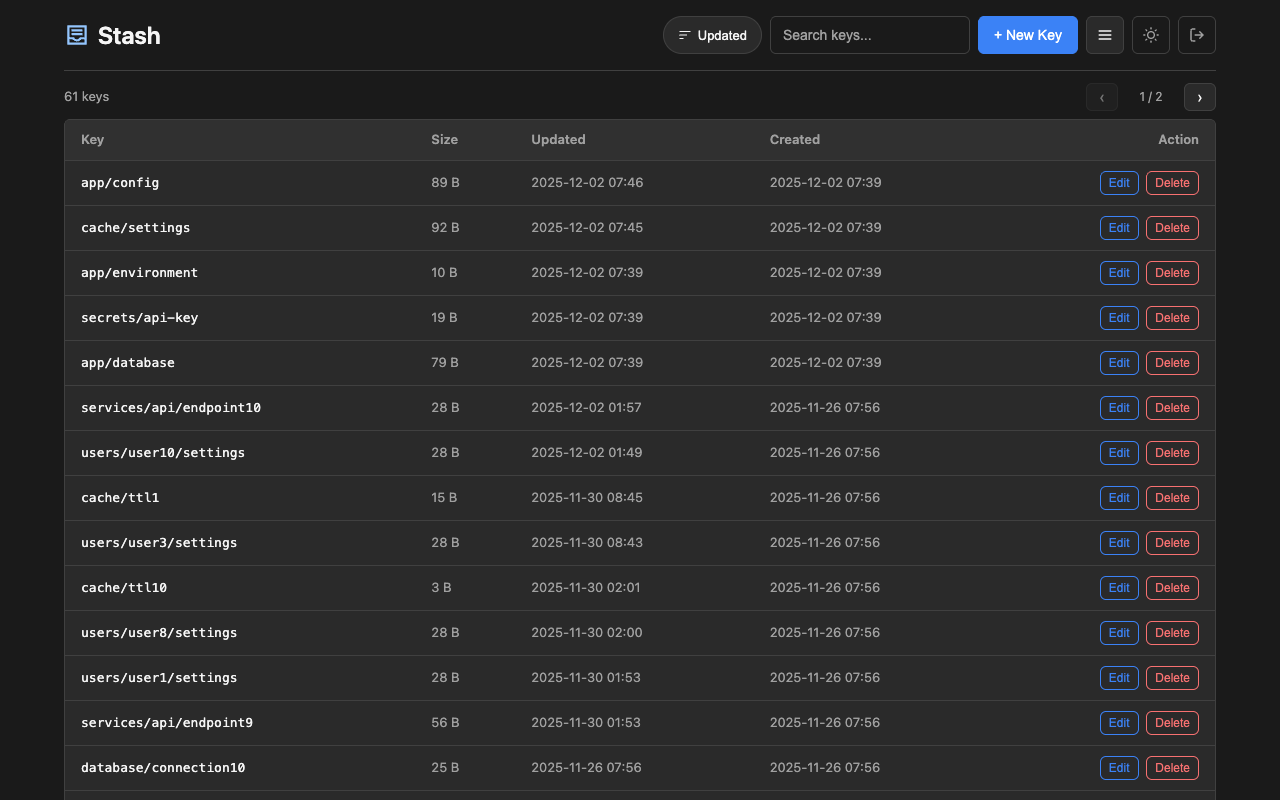
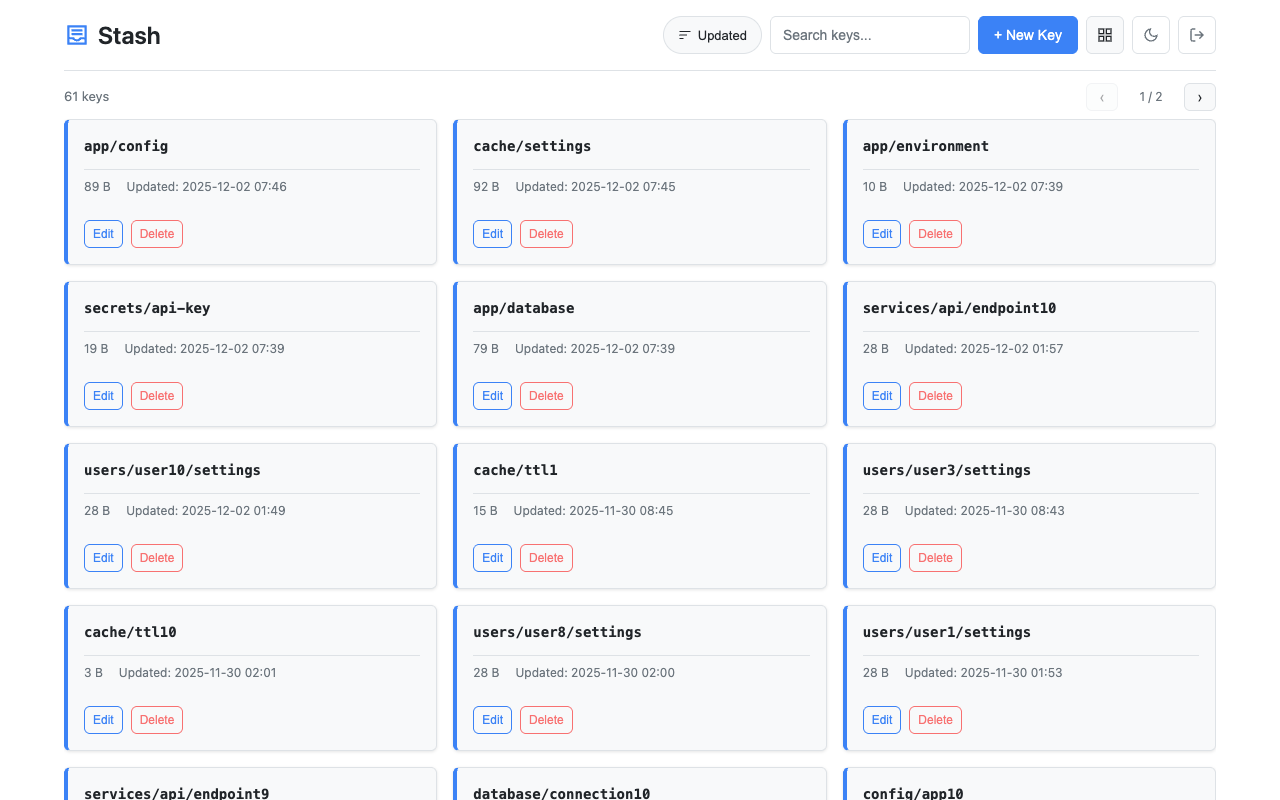
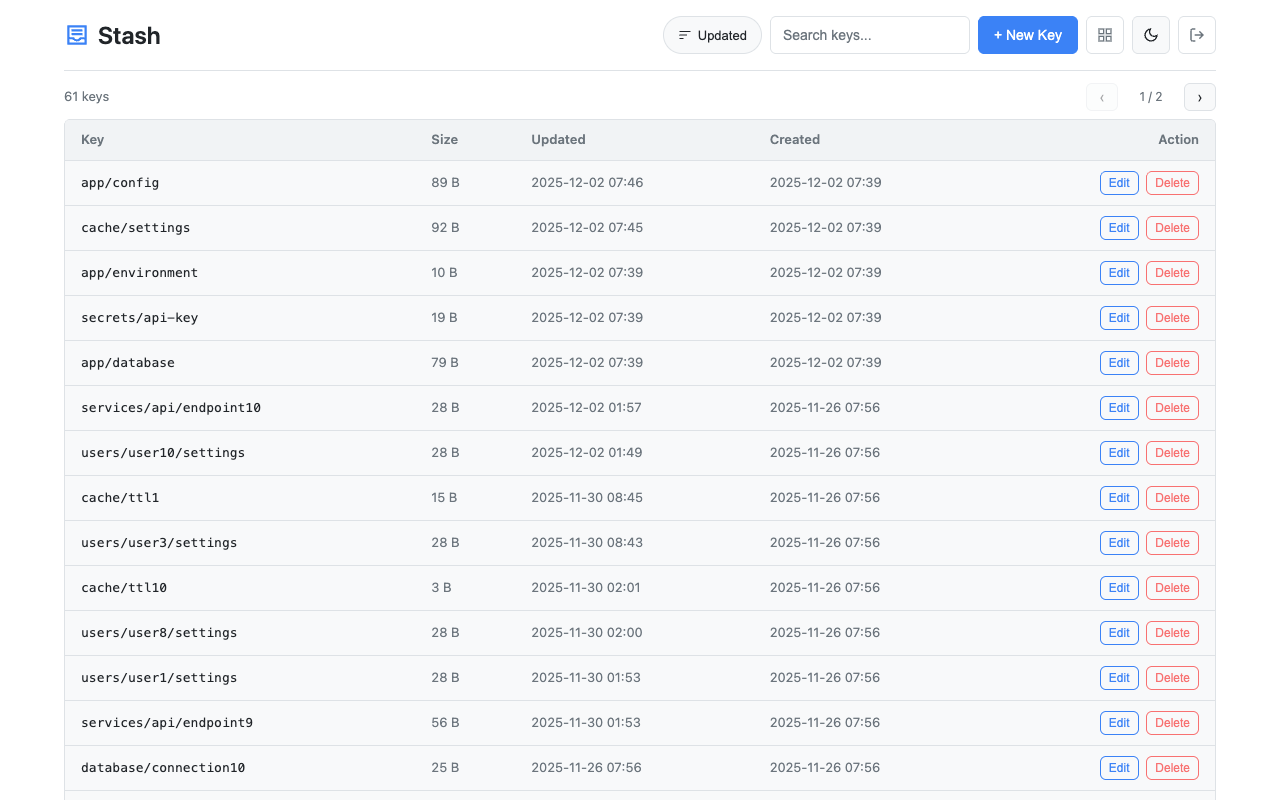
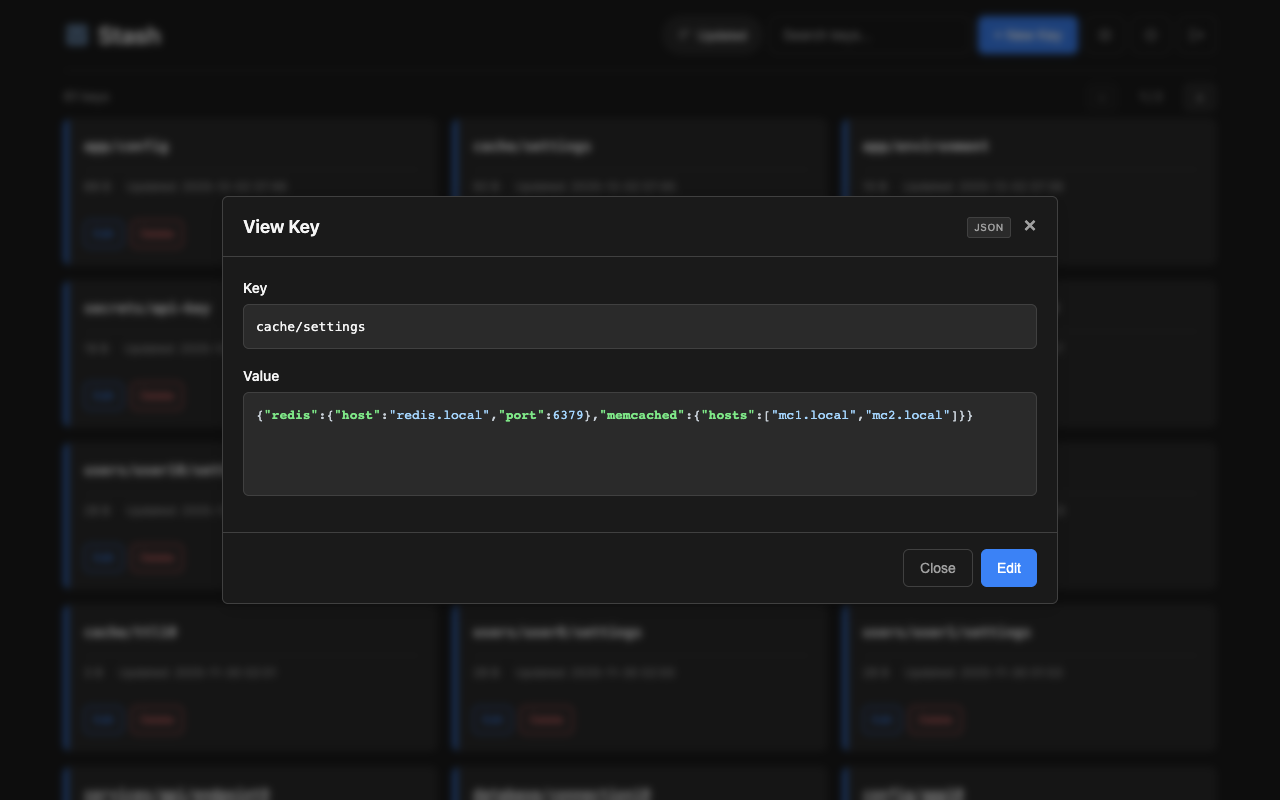
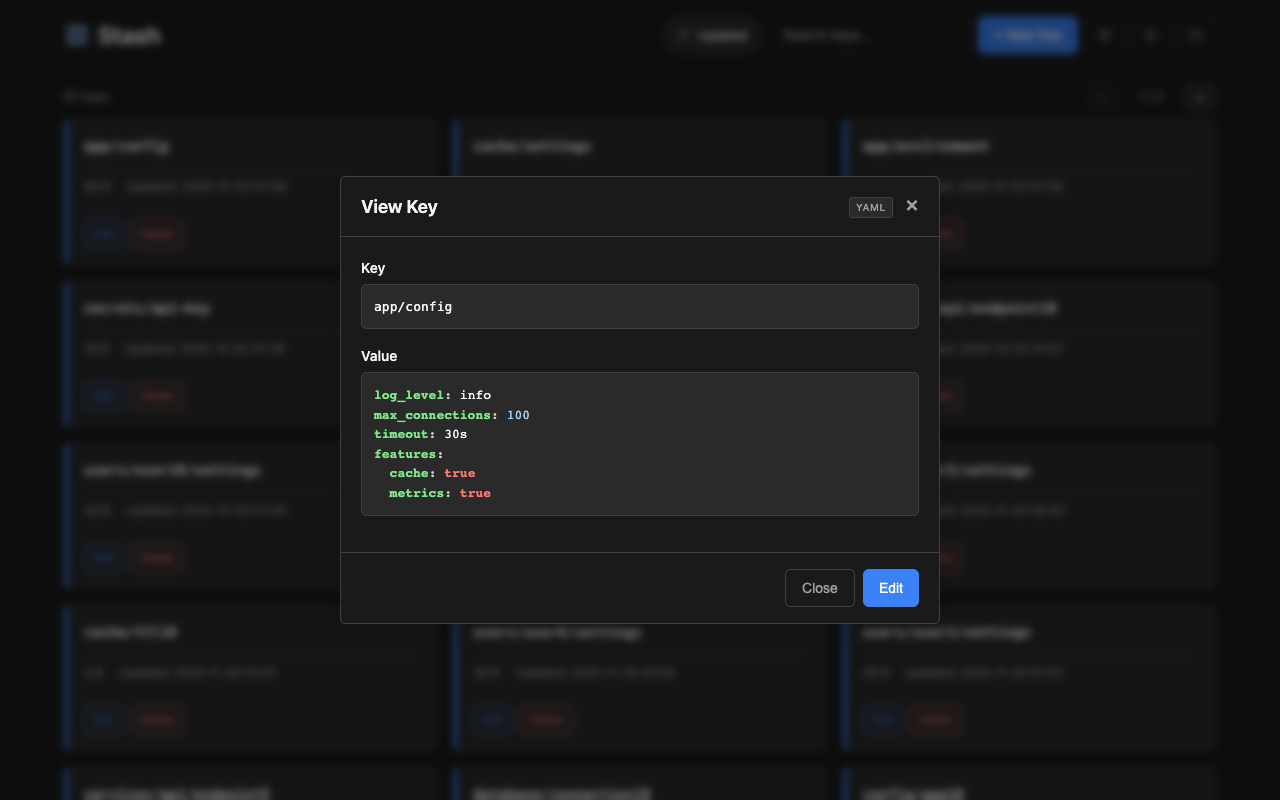
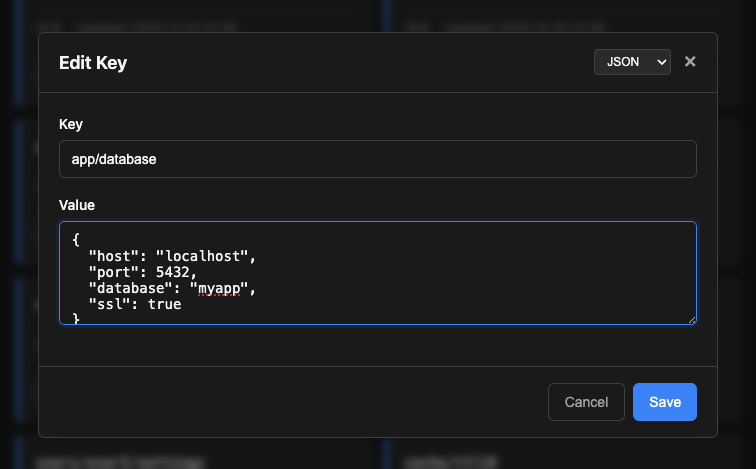
Access the web interface at http://localhost:8080/. Features:
- Card and table view modes with size and timestamps
- Search keys by name
- View, create, edit, and delete keys
- Syntax highlighting for json, yaml, xml, toml, ini, hcl, shell formats (selectable via dropdown)
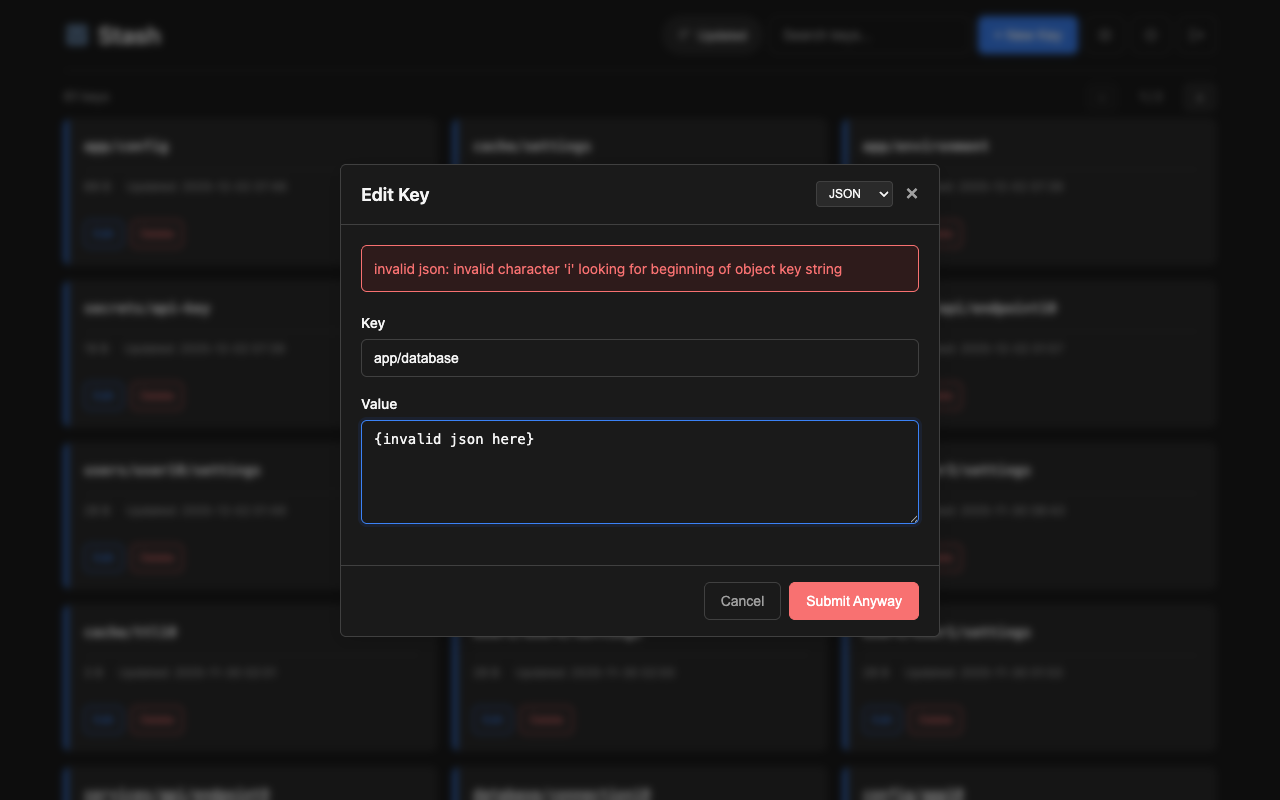
- Format validation for json, yaml, xml, toml, ini, hcl (with option to submit anyway if invalid)
- Binary value display (base64 encoded)
- Light/dark theme toggle
- Key history viewing and one-click restore to previous revisions (when git versioning enabled)
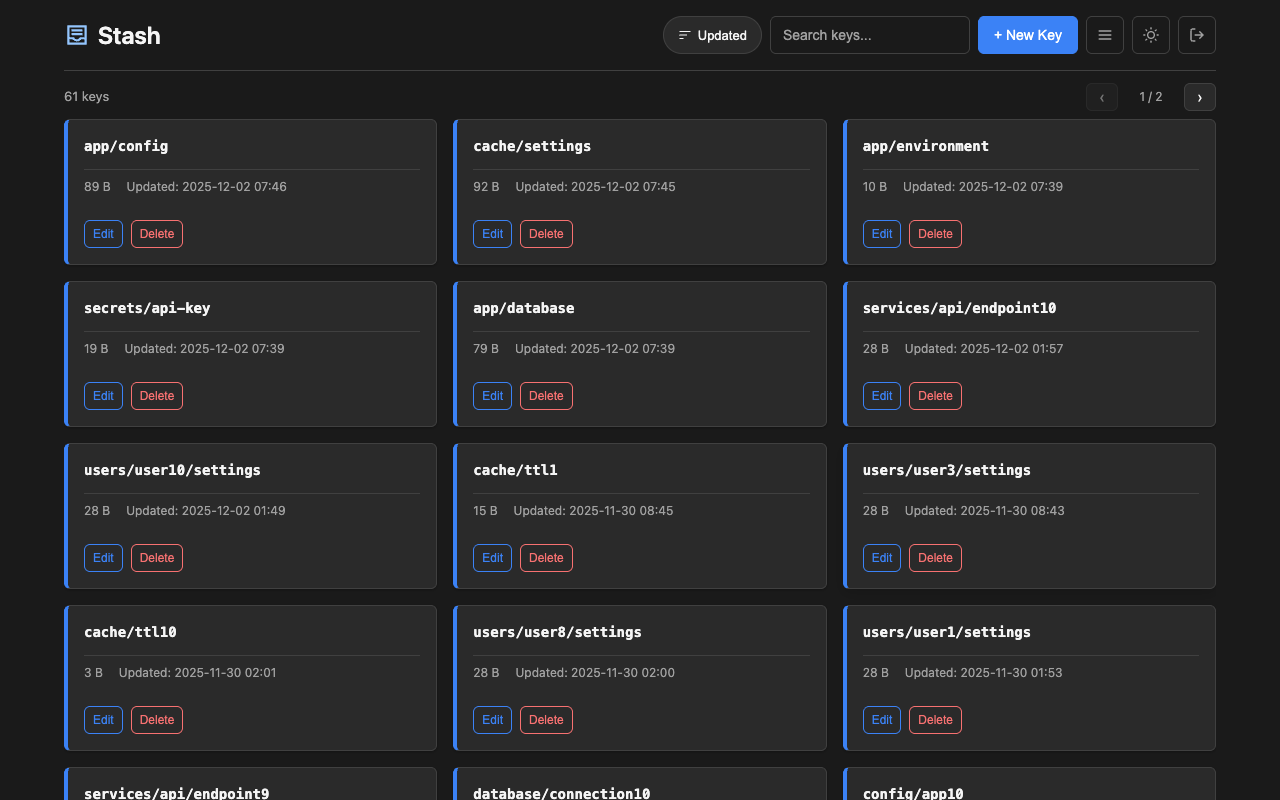
More screenshots
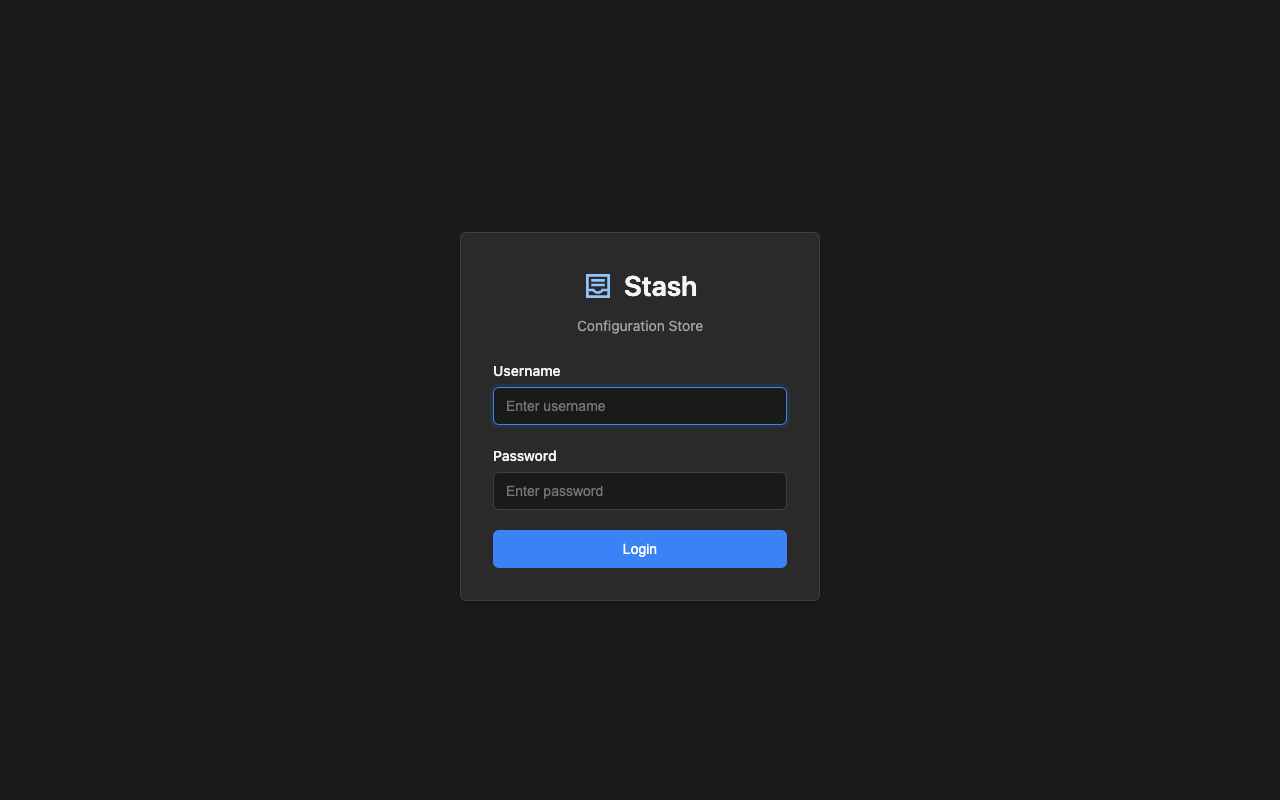
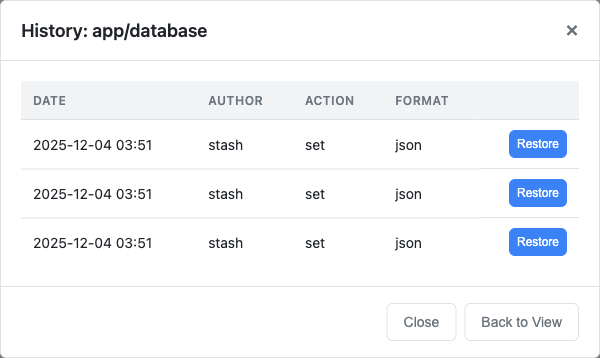
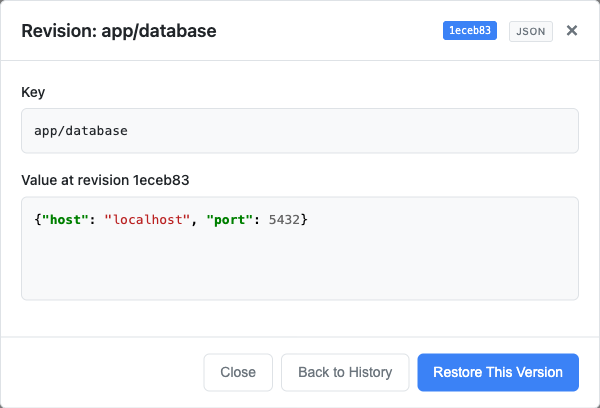
# set a simple value
curl -X PUT -d 'production' http://localhost:8080/kv/app/env

# set JSON configuration
curl -X PUT -d '{"host":"db.example.com","port":5432}' http://localhost:8080/kv/app/config/database

# get the value
curl http://localhost:8080/kv/app/config/database

# delete a key
curl -X DELETE http://localhost:8080/kv/app/envdocker run -p 8080:8080 -v /data:/srv/data ghcr.io/umputun/stash \
server --db=/srv/data/stash.dbdocker run -p 8080:8080 -v /data:/srv/data ghcr.io/umputun/stash \
server --db=/srv/data/stash.db --git.enabled --git.path=/srv/data/.historyversion: '3.8'
services:
stash:
image: ghcr.io/umputun/stash
environment:
- STASH_DB=postgres://stash:secret@postgres:5432/stash?sslmode=disable
depends_on:
- postgres
ports:
- "8080:8080"
postgres:
image: postgres:16-alpine
environment:
- POSTGRES_USER=stash
- POSTGRES_PASSWORD=secret
- POSTGRES_DB=stash
volumes:
- postgres_data:/var/lib/postgresql/data
volumes:
postgres_data:See docker-compose-example.yml for a complete production setup with:
- Reproxy reverse proxy with automatic SSL (Let's Encrypt)
- PostgreSQL database
- Authentication enabled
# copy and customize the example
cp docker-compose-example.yml docker-compose.yml

# set your domain in SSL_ACME_FQDN and reproxy.server label
# create auth config file with users and tokens
cat > stash-auth.yml << 'EOF'
users:
  - name: admin
    password: "$2a$10$..."  # generate with htpasswd
    permissions:
      - prefix: "*"
        access: rw
EOF

# set auth file path in .env
echo 'STASH_AUTH_FILE=/srv/data/stash-auth.yml' > .env

# start services
docker-compose up -d- Concurrency: The API uses last-write-wins semantics. The Web UI has conflict detection - if another user modifies a key while you're editing, you'll see a warning with options to reload or overwrite.
MIT License - see LICENSE for details.