

JavaScript Standard Style automatically lints all open files, then reports errors and warnings in Nova's Issues sidebar and the editor gutter.
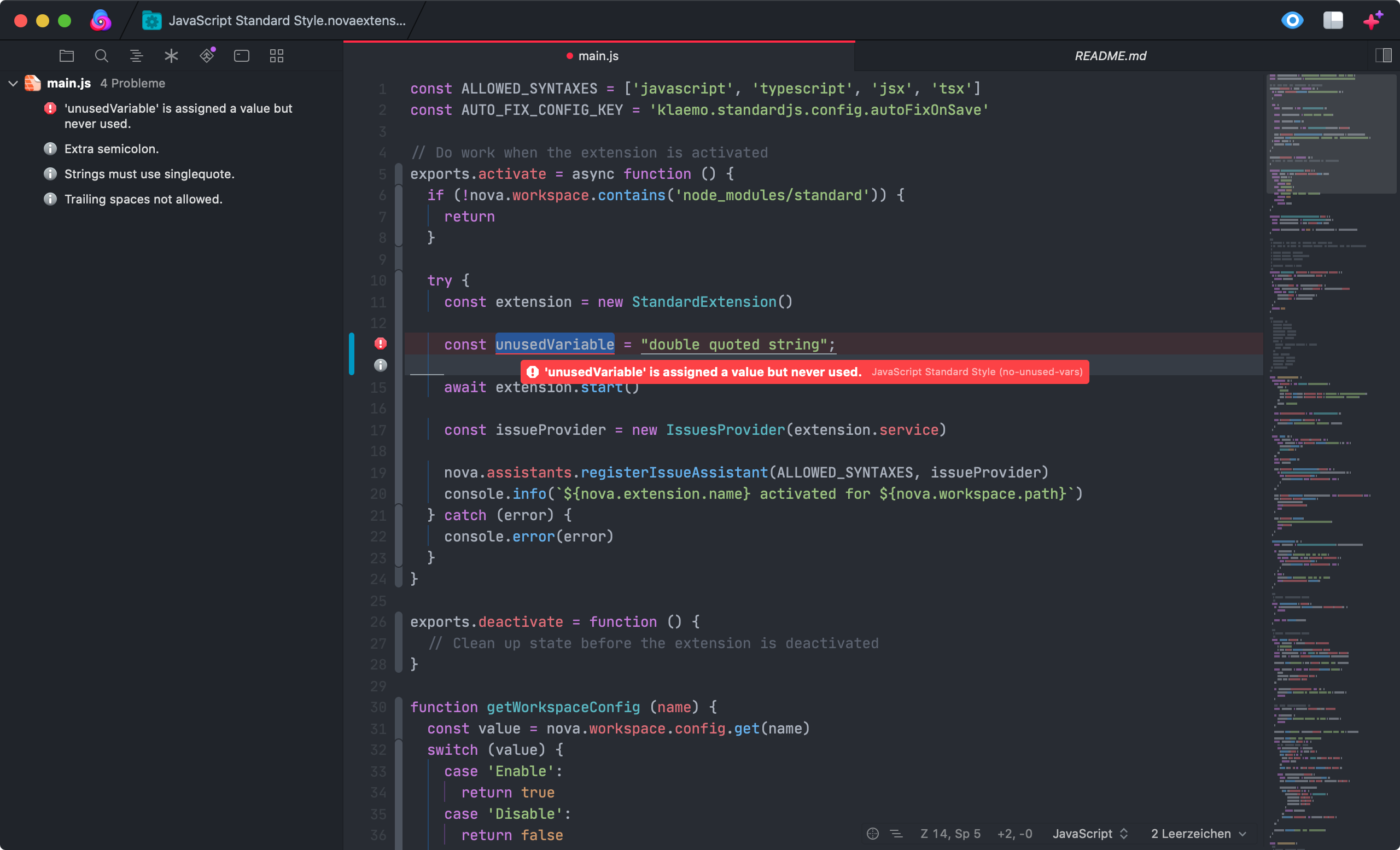
Even though standard treats all rule violations as errors, this extensions (in order to reduce visual clutter) displays auto-fixable issues as "hints" and all other issues as "errors".
- supported syntaxes:
javascript,jsx,markdown,html Fix all auto-fixable issuescommand that can be invoked through the command paletteAuto-fix on saveconfigurable globally and on a per-workspace basis (off by default)- uses locally installed
standardonly
JavaScript Standard Style requires some additional tools to be installed on your Mac:
A recent Node.js version that's supported by standardJS
To install the current stable version of Node, click the "Recommended for Most Users" button to begin the download. When that completes, double-click the .pkg installer to begin installation.
standard has to be installed locally in your workspace (e.g. with npm i -D standard). This extension will not use any globally installed standard installations. If this is something you want, feel free to open an issue or PR.
If you would like to check additional syntaxes like
markdownorhtml, you'll need to install the appropriate ESLint plugin. The extension will let you know which one. Additionally, you must add the plugin tostandard.pluginsinpackage.json(see https://standardjs.com for more information).
To configure global preferences, open Extensions → Extension Library... then select JavaScript Standard Style's Preferences tab.
You can also configure preferences on a per-project basis in Project → Project Settings...
Available options:
- Enable auto-fix on save (off by default)
Lots of inspiration was drawn from these sources: