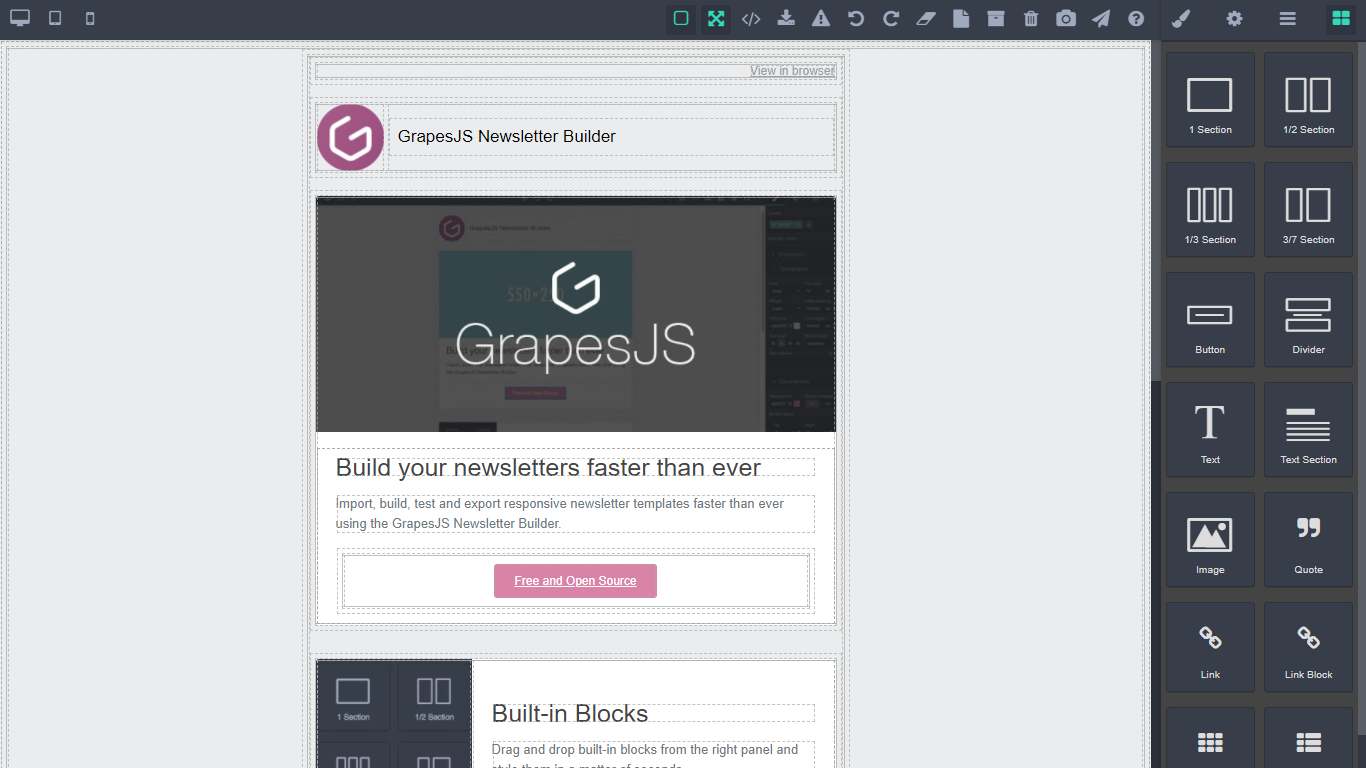
Grapesjs newsletter builder with REST API using fastapi and dataset, for storing and posting newsletter templates to email lists, setup for easy deployment on heroku.

Clone the repo
$ git clone https://github.com/Ju99ernaut/mailer.git
$ cd mailer
Create virtual enviroment
$ python -m venv venvActivate virtual enviroment
Linux/MacOS: source venv/bin/activate
Windows: .\venv\Scripts\Activate.ps1 or .\venv\Scripts\activate
Install dependencies
$ pip install -r requirements.txt`Run
$ python api/main.py --mail_username user@gmail.com --mail_password passwordMore config vars in config.py and enviroment vars in app.json.
Update grapesjs init and plugins in editor.html, for example switching out the grapesjs-preset-newsletter with grapesjs-mjml.
The API should now be available at http://127.0.0.1:8000, editor at http://127.0.0.1:8000/editor and the API documentation will be available at /docs or /redoc.
Depending on the type of database backend, you may also need to install a database specific driver package. For MySQL, this is MySQLdb, for Postgres its psycopg2. SQLite support is integrated into Python.
On heroku you may come across the sqlalchemy.exc.NoSuchModuleError: Can't load plugin: sqlalchemy.dialects:postgres, you can avoid it by replacing postgres://... with postgresql://... in your connection url, or you can handle for it programmatically using something like:
url = url.replace("postgres:", "postgresql:")Clone the repo
$ git clone https://github.com/Ju99ernaut/app-listing-server.git
$ cd app-listing-server
Create virtual enviroment
$ python -m venv venvActivate virtual enviroment
Linux/MacOS: source venv/bin/activate
Windows: .\venv\Scripts\Activate.ps1 or .\venv\Scripts\activate
Install dependencies
Use
requirements.txtin production
$ pip install -r requirements.dev.txt`Run tests
$ cd api
$ python -m pytest
$ cd ..
Run
$ python api/main.py -r tThe API should now be available for development at http://127.0.0.1:8000 and the API documentation will be available at /docs or /redoc. During development a sqlite database will be setup by default and the schema will be setup automatically
Depending on the type of database backend, you may also need to install a database specific driver package. For MySQL, this is MySQLdb, for Postgres its psycopg2. SQLite support is integrated into Python. By default psycopg2 will be installed, if you're using MySQL then replace psycopg2 with MySQLdb in requirements.txt.
Recomended python version in runtime.txt
By default none of the API endpoints require authentication you can apply the built-in dependencies to some of the endpoints so the require authentication or admin privileges. You can add an admin user using the command below:
$ python api/manage.py add_admin_userSome admin only endpoints can be found in routes/admin.py. More information about fastapi dependencies can be found here.
Variable |
Description |
Required |
|---|---|---|
DATABASE_URL |
Database connection URL | true |
POOL_SIZE |
Connection pool size | false |
MAX_OVERFLOW |
max_connections = pool_size + max_overflow | false |
FRONTEND_URLS |
Comma separated whitelisted domains | false |
SECRET_KEY |
Application secret key(Not required but important to setup to avoid using default) | false |
Variable |
Description |
Default |
|---|---|---|
database_connection |
Database connection URL(Used if DATABASE_URL isn't provided) |
sqlite:///data.db |
reload |
Reloads server when a file changes | False |
host |
Bind socket to this host | 127.0.0.1 |
port |
Bind socket to this port | 8000 |
prefix |
Template storage prefix(must be the same as editor) | gjs- |
Config variables can be placed inside a config.txt file, check example-config.txt or during startup e.g.
$ python api/main.py --host 0.0.0.0 --port 5467Template files can be found in the templates folder.
Endpoint |
Description |
|---|---|
/archive |
Links to all sent newsletters |
/viewer/{uuid} |
Browser view of template with given UUID |
/dashboard |
Admin dashboard template |
/editor |
Newsletter editor webapp |
/edit/subscribe |
Form to subscribe to newsletter |
/edit/unsubscribe |
Form to unsubscribe to newsletter |
/edit/register |
User registration form template |
/edit/login |
User login form template |
Usage example:
<!DOCTYPE html>
<html lang="en">

<head>
    <meta charset="UTF-8">
    <meta http-equiv="X-UA-Compatible" content="IE=edge">
    <meta name="viewport" content="width=device-width, initial-scale=1.0">
    <link rel="stylesheet" href="BASE_URL/static/css/edit.css">
    <title>Website</title>
</head>

<body>
    <div id="nl-form"></div>

    <script src="BASE_URL/static/js/edit.js"></script>

    <script>
        const container = document.querySelector('#nl-form');
        const widget = new NewsletterWidget({ container });
    </script>
</body>Option |
Description |
Default |
|---|---|---|
container |
Selector or HTMLElement to append the widget |
body |
type |
Type of widget, subscribe or unsubscribe |
subscribe |
MIT