This repo is made up of three directories, representing three different tutorials that were completed. These were my first forays into Godot, though I have previous experience using the Unity game engine. Godot Sharp 4.1 was used for all tutorials. Most scripting was completed in C#, including TRPG_Unit_Movement, whose tutorial only provides code in GDScript.
The last two (dodge_the_creeps and TRPG_Unit_Movement) have playable versions available in the Builds directory. Just extract the files and run the executable!
A basic walkthrough of Nodes, Scenes, Input, and Signals in Godot. As this was my first exposure to Godot, I followed along with both GDScript and C#. See the tutorial followed here.
This tutorial continues where step_by_step leaves off, adding in simple sprite sheet animations, programatic instantiation of Scenes, updating the UI to reflect state, and creating a basic gamplay loop. Because of my previous experience with Unity, I chose to create scripts in C# exclusively for this tutorial.
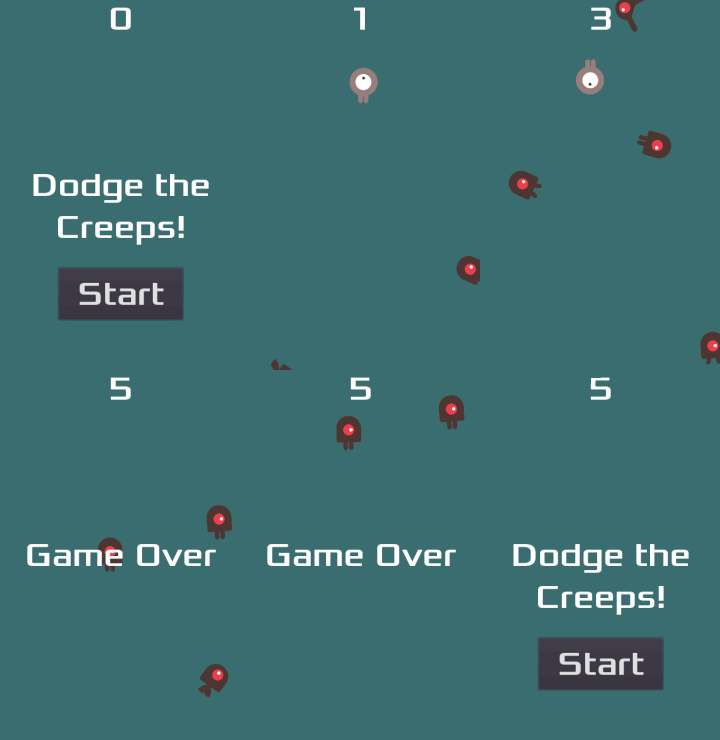
In this 2D arcade style game the player avoids touching the titular "Creeps" for as long as possible, with the game ending after the first collision. See the intended experience below:
A tech demo style tutorial that implements a simple grid based movement system in the style of Tactics RPGs. The tutorial is provided by GDQuest and utilizes scripts that implement Resources and RefCounted (in GDScript, Reference) classes, in addition to the more common Node types. Because of the update to Godot 4.X since this tutorial's writing, this documentation was invaluable in utilizing the new TerrainSet system.
I chose to use C# as a challenge while completing this tutorial. It was an opportunity to understand where GDScript and the C# API differed, and I used it to develop a deeper understanding of both the Godot engine and C#. While many methods and concepts have similar or identical names.
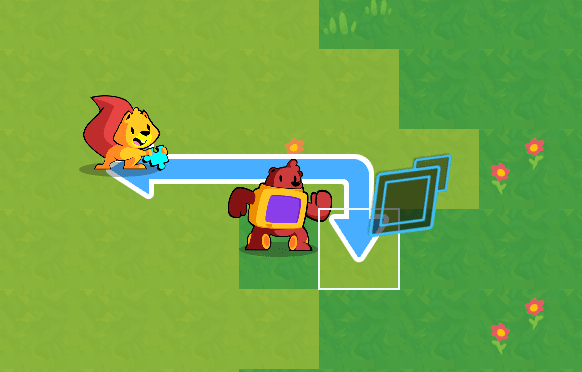
Units are displayed on a grid map with adjustable dimensions. A cursor hovers over the currently selected cell in the grid (mouse, keyboard, and gamepad input accepted). A player can select a unit, triggering an overlay to appear indicating valid movements and drawing the path the unit will take to get to the new cell. After selecting a valid movement, the unit will shift to the new cell, following the path drawn.
See the provided repo for GDQuest's implementation, and the screenshot below for a visual aide indicating the expected behavior when selecting the squirrel unit.