- Online Plugin Manual
- Particle-Module-Templates (repository of example/demo module scripts)
- Tomb Raider Forums thread
It is a plugin for the TRNG + FLEP engine enhancements of Tomb Raider Level Editor (TRLE). It adds a dynamic particle engine that is under full user scripting control. It allows TRLE builders to create custom particle effects, going far beyond the capabilities of FLEP or TRNG.
The particle engine is augumented with a responsive and extensive Scripting API (Application Programming Interface), which allows direct communication with the plugin, through Lua. Users can write custom Lua scripts that implement particle effects in the form of modules, which can then be used in TRLE projects or shared among other members of the community.
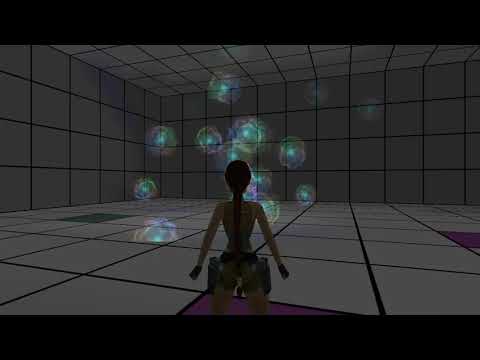
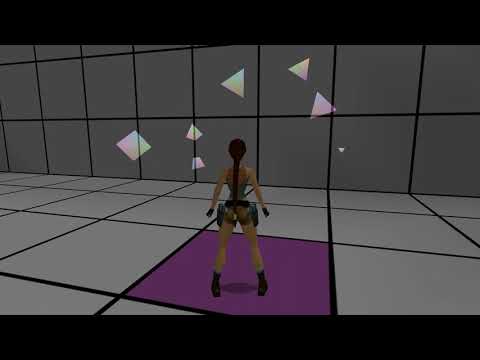
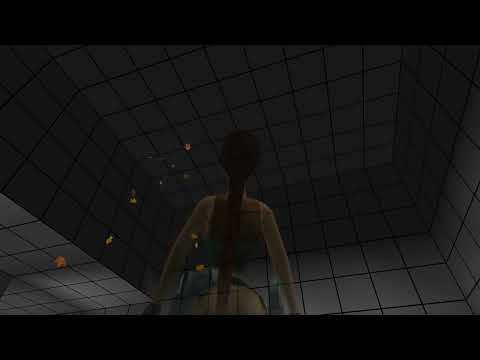
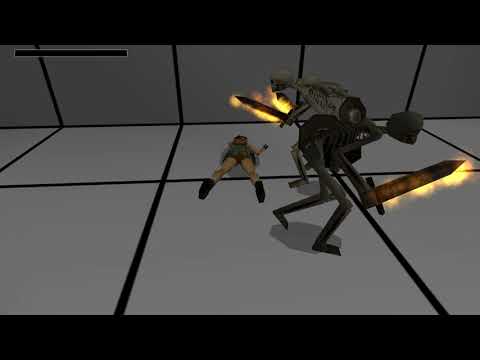
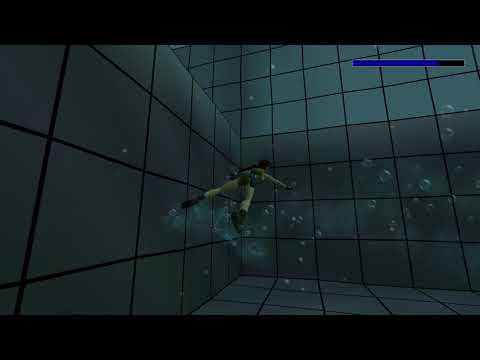
Particles with complex custom behavior - collisions with room geometry, spawning shockwaves, emitting lights etc.
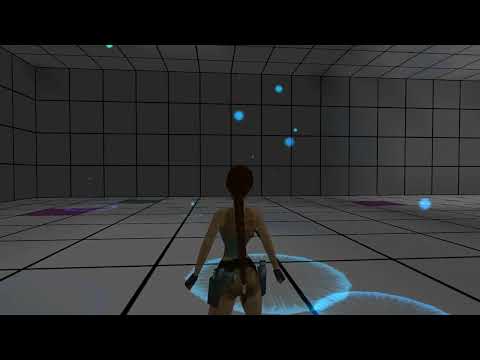
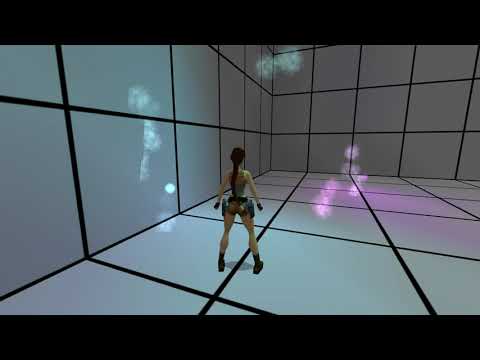
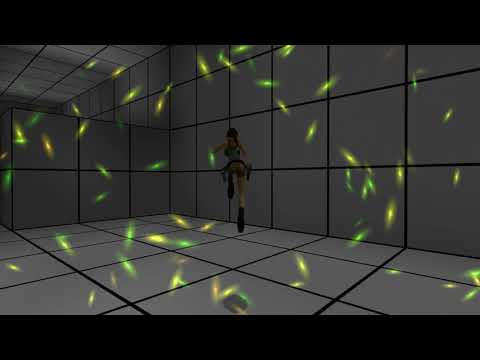
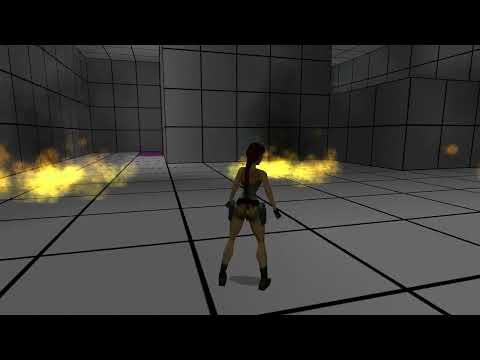
The targeted engine version is TRNG 1.3.0.7, combined with the FLEP patching system for best results.
The plugin's binary builds are bundled as releases on this repository. Always download the plugin ZIP package from the latest available release for bugfixes and improvements!
The exact steps of plugin installation depend on whether you are managing your TRLE project with TombIDE from the Tomb Editor suite or with old NG Center.
Download the Plugin_ParticleSystem ZIP archive from the latest release. Open your TRLE project in TombIDE, go to the Plugin Manager tab and click Install plugin from .zip archive. In the file explorer, find the plugin ZIP file and select it. The plugin should now be installed and ready to use.
Download the Plugin_ParticleSystem ZIP archive from the latest release. Open NG Center and switch to your current TRLE project, if necessary. Go to the Plugins tab, then click Install new Plugin. Select Install from ZIP, locate the plugin ZIP in the file explorer and select it. The plugin should now be installed and ready to use.
This plugin is very robust and its usage cannot be explained in a single paragraph of text. A dedicated series of manuals explaining how to use it was created. These manuals are being written an will be gradually updated with more contents in future releases. Each plugin release comes bundled with a copy of the manual available at the time of the release (in the Manual folder). However, the most up-to-date version will be hosted online as a GitHub Pages website, under this link: Online Plugin Manual
How you should use this plugin depends on whether you intend to script your own effects in Lua, or use effects shared by other users.
To learn how to import existing effect modules into your TRLE project, follow the Builder Path in the manual. It describes the basic usage of the plugin for builder who will not code custom effects. Because this is a rather simple process, it is a short read, consisting of 4 pages in total. Once you finish the Builder Path and you want to try your strengths in coding custom effects, you can check out the Coder Path.
To learn how to script your own effects, follow the Coder Path in the manual. It describes everything about the scripting process in great detail, including a basic rundown of the Lua scripting language and how to script your first effect modules and use them in your levels. Although prior experience with Lua or programming in general can help, it is not required. The Coder Path is tailored to any skill level, including complete beginners. That being said, a solid grasp of more advanced TRNG scripting (Global Triggers, Trigger Groups, Organizers, Conditions) is certainly recommended for this path.
The Coder Path is still in development and new chapters will be added gradually, when ready, so be sure to check out the online manual version ever so often!
Coming soon, an API Reference will also be hosted and updated with new functionalities and features in future plugin releases.
We mainly accept bug reports on the Issues page of this repository. Reporting an issue requires registering a (free) GitHub account. After that, you simply click the "New Issue" button, and follow the examples for a bug report or feature request as guidelines for writing a report.
Additionally, we will accept bug reports in the Tomb Raider Forums thread pertaining to this plugin: The Particle System Plugin
Reports through other communication routes (e.g. personal messages, Discord chats) can be given, but we still strongly recommend creating an Issue entry in this repository, or making a post in the TRF thread, to keep everything tidy and organized.
This plugin was co-developed by:
- Krys @KrysB4k
- ChocolateFan @asasas95000
On top of that, a big thank you goes out to Martini who did very extensive testing of this plugin and helped find many bugs in the process. This plugin would not have been possible without your input!
I would also like to thank several people in the TRLE community, who have supported me in the process of working on this plugin:
- MarlenaCrystal
- Dermahn @Dermahn
- Raider99
- Klona
- Dinne
- JoeyQuint @Joey79100
- BigBonesParker