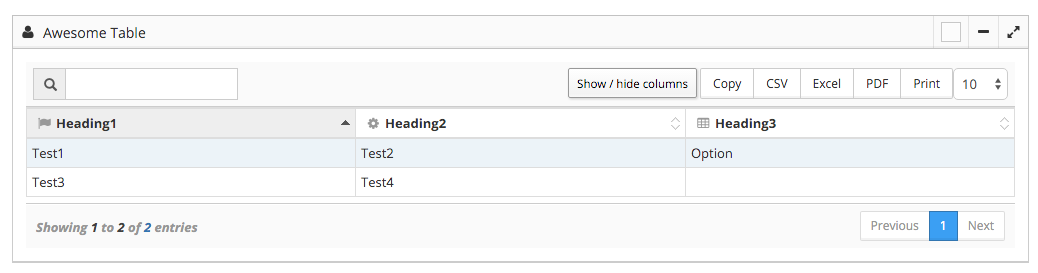
CakePHP plugin for easily configuring JQuery Datatables in Smart Admin (Requires Smart Admin)
Copy the PumpSa folder into your CakePHP app/Plugin folder
To use the Datatables View Helper, include it in your Controller of choice as a $helper
// myController.php
public $helpers = array('PumpSa.DataTable');To initialize a Smart Admin Widget with a DataTable:
//index.ctp
  $configArray = array(
	"TableTitle" => "Awesome Table",
	"WidgetDelete" => false,
	'WidgetIcon' => 'fa-user',
	'WidgetEdit' => false
	);

 $testData = array(
	"Headings" => array("Heading1" => "fa-flag","Heading2" => "fa-gear","Heading3" => "fa-table"),
	"data" => array(
		array("Test1","Test2","Option"),
		array('Test3','Test4'," ")
	   )
	);

$tableName = $this->DataTable->dataTable($testData,$configArray);

$this->DataTable->dataTableJavaScript(array($tableName));