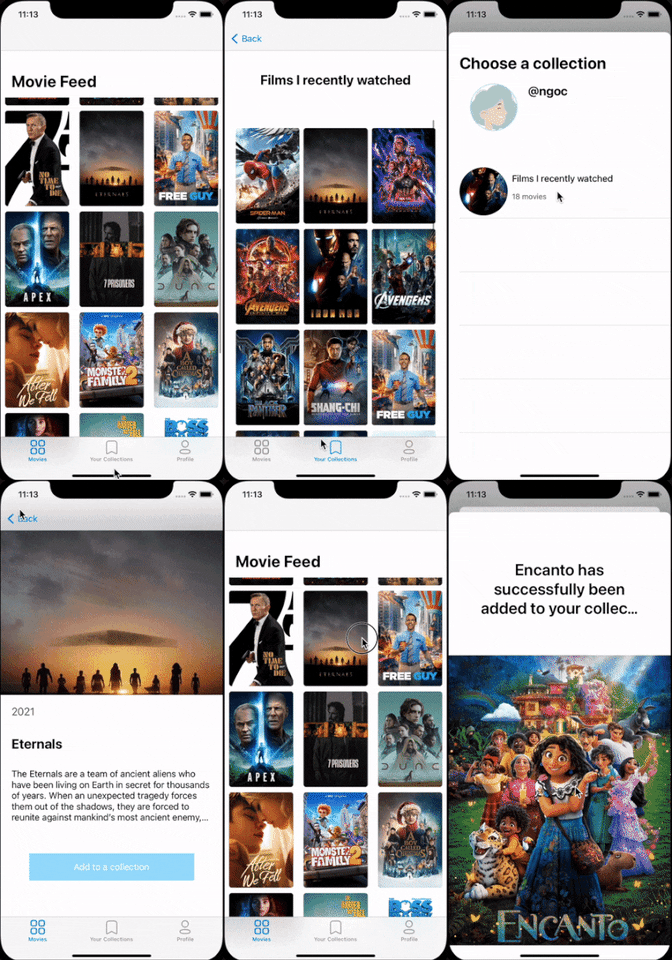
MyMovies is a movie search and collection app. This app allows users to not only browse and search the movie database but create collections of movies. Movie collections allow them to store their holiday favorites or superhero movies and share with other users, or to get recommendations based on their collections.
- Category: Movies
- Mobile: iOS
- Story: This app would be awesome for our peers as they can keep track of movies and make lists of movies to show friends.
- Market: Almost everyone watches movies making the market anyone in the world who enjoys watching movies and sharing what they watch.
- Habit: Users will use this a lot as people are always watching movies and a user creates collections.
- Scope: This scope allows for something that is probable to build within the timeframe, but also has optional stories if finished too quickly. We will add additional recommendation system if time permits.
A demo video for the app is available here.
Required Must-have Stories
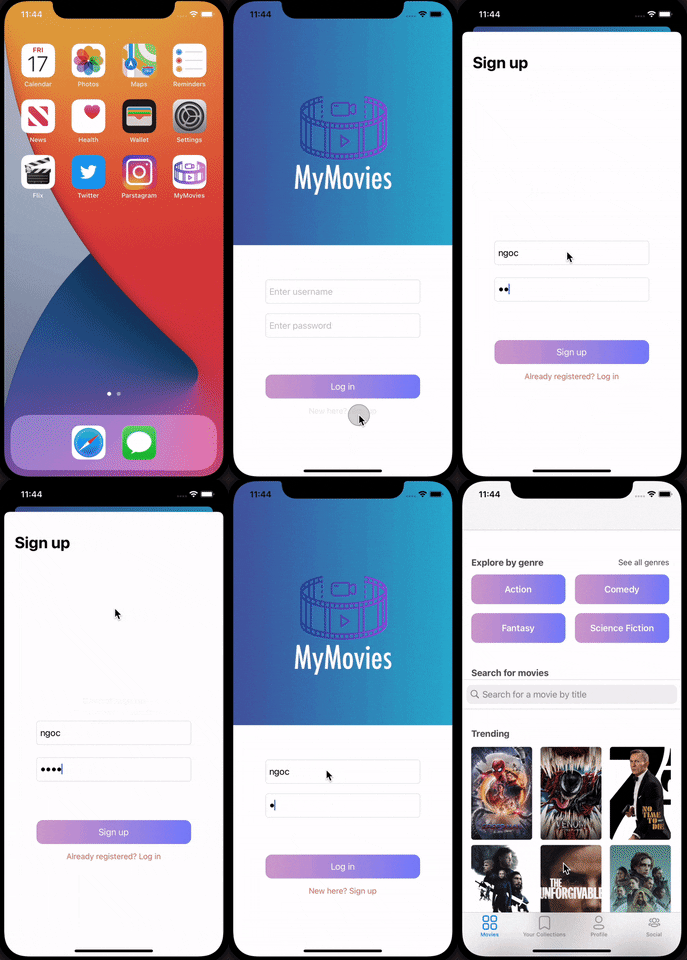
- User can register new account and sign in
- User stays logged in across app restarts
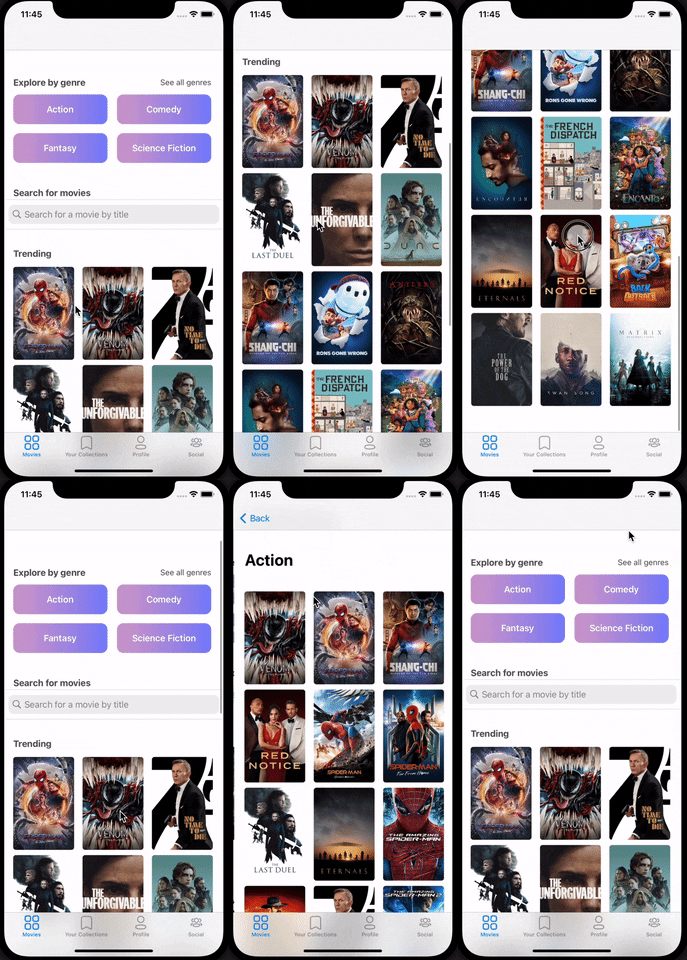
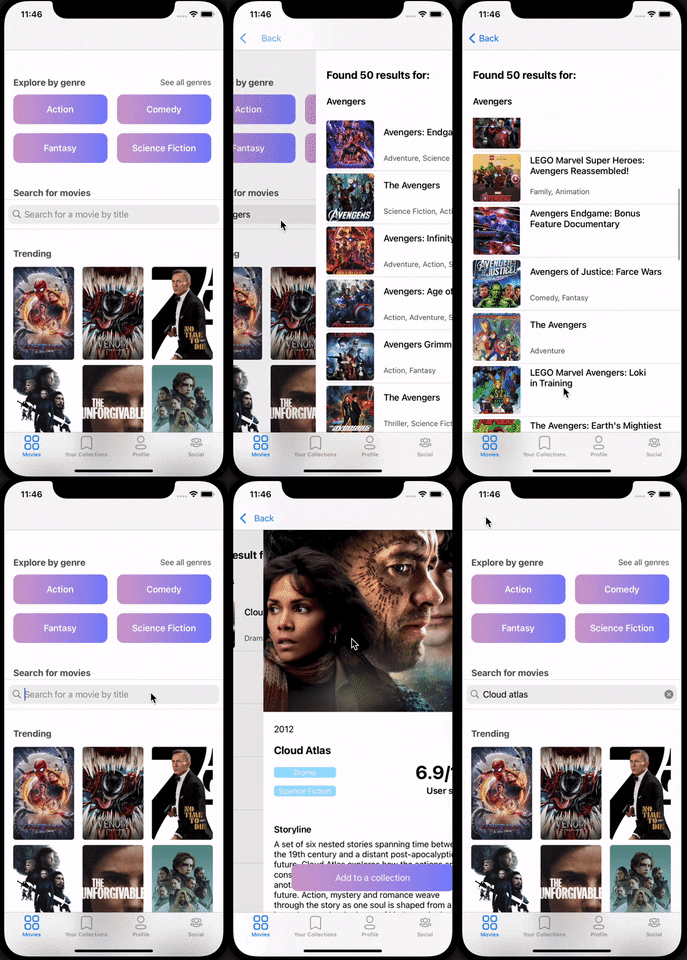
- User can browse movies and search by name
- User can browse movies in feed
- User can search using search bar
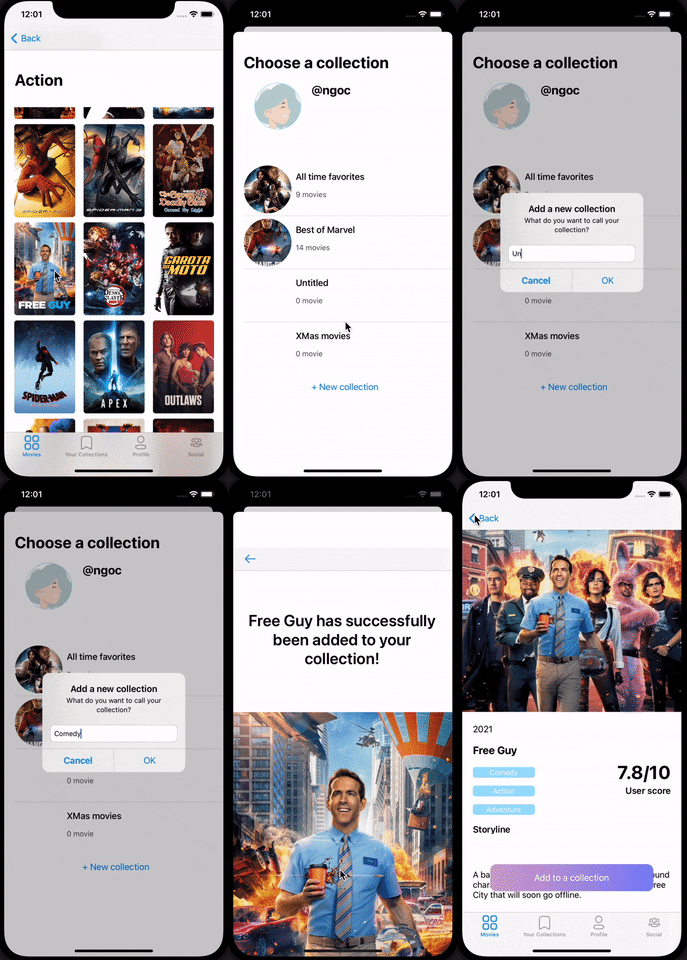
- User can create new collections and add movies in
- User can create a new collection
- User can add movies in existing collection
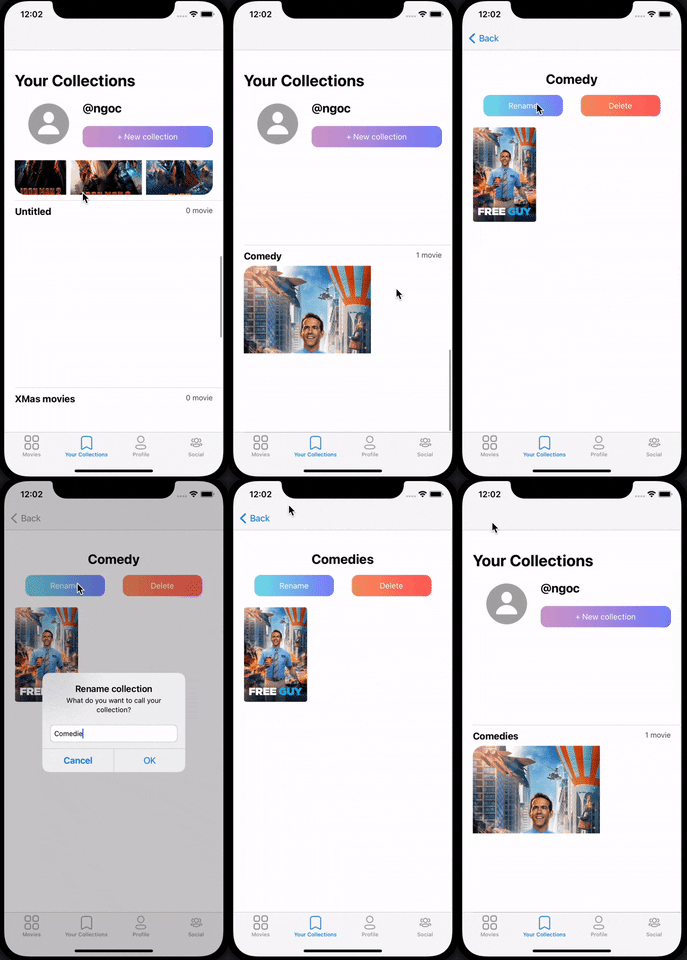
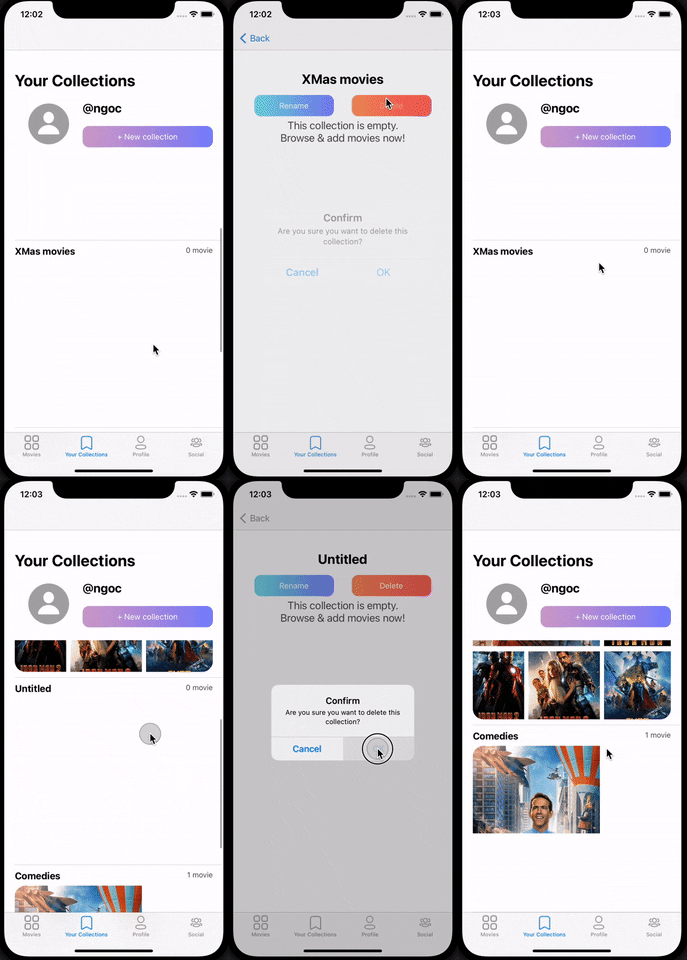
- User can see collections they have created and modify them (remove movies, add new movies, delete collections)
- User can see collections they have created
Optional Nice-to-have Stories
- User can search by genre, actor name
- User can share their collections
- User can view others collections
- User can get recommended collections by other users
- User can get recommended movies by the system
- Login / Register
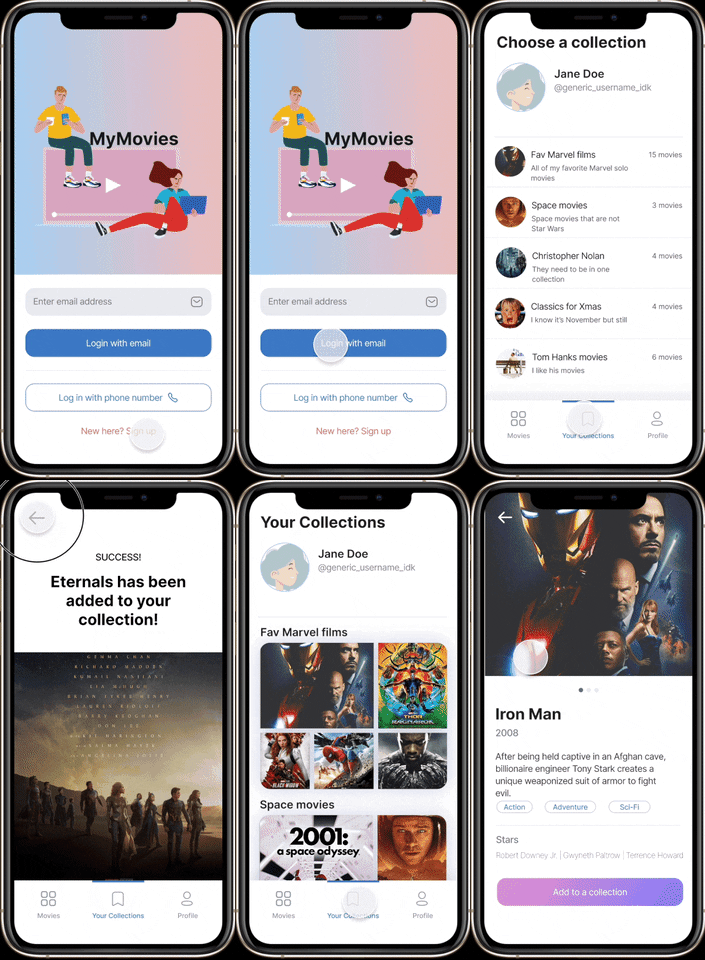
- User can sign up or log into their account
- Stream
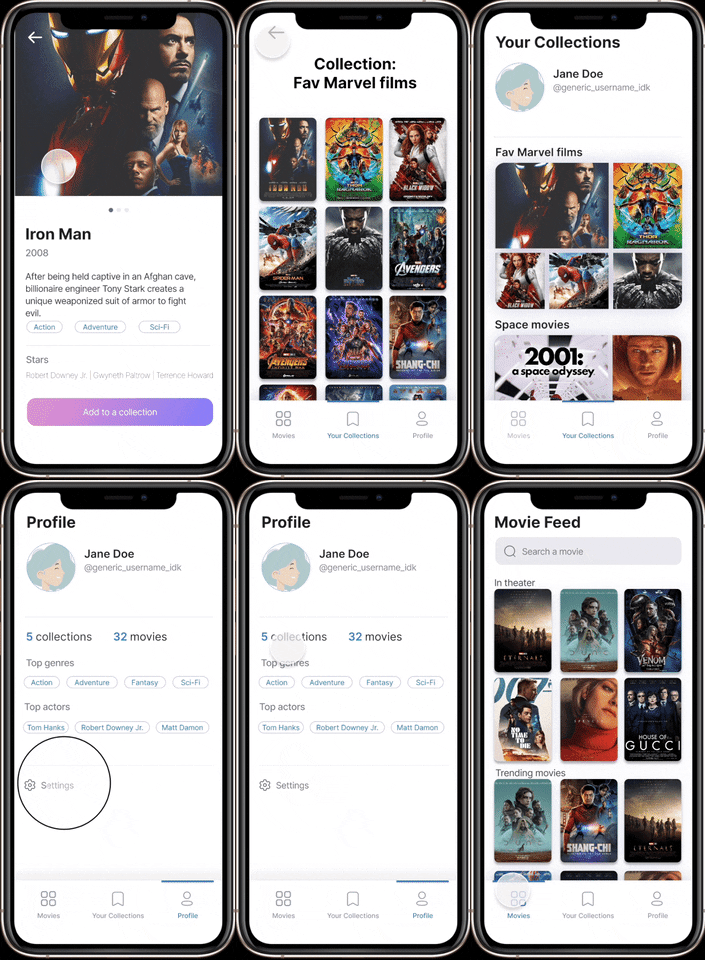
- User can browse top movies
- User can search for movies by names using the search bar
- User can view their collections
- Detail
- User can see movie details in browser (see above)
- User can see details of specific collection (see above)
- User can add a movie to a collection
- User can delete a movie from a collection
- Creation
- User can create a new movie collection in collection view
- User can create a new movie collection upon adding movie
- User can rename an existing collection
- User can delete an existing collection
- Profile
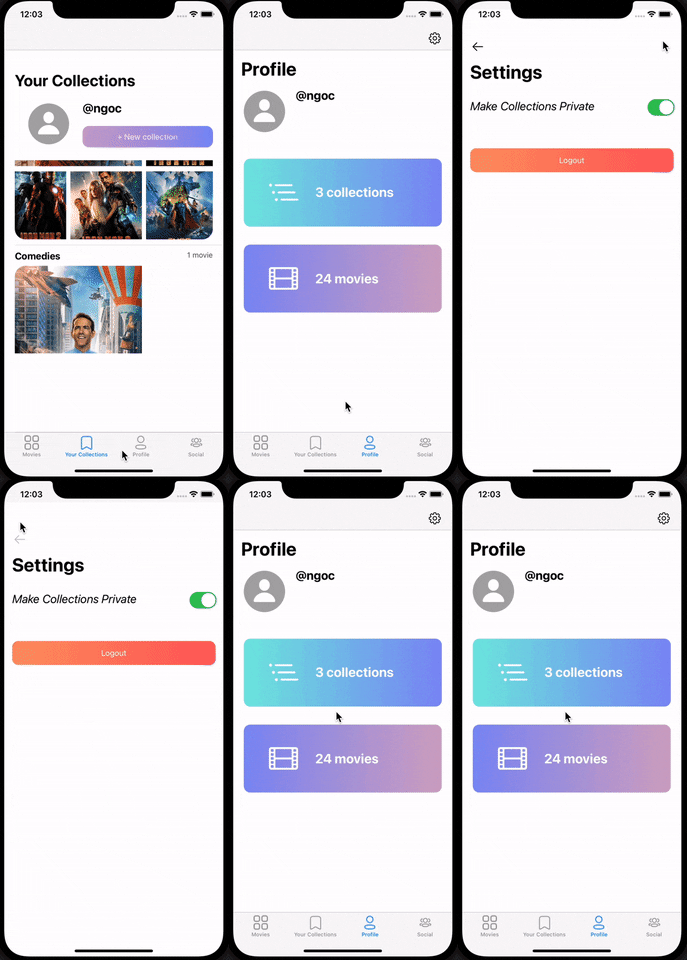
- User can see their own information and names of collections they've created
- Settings
- User can change their information
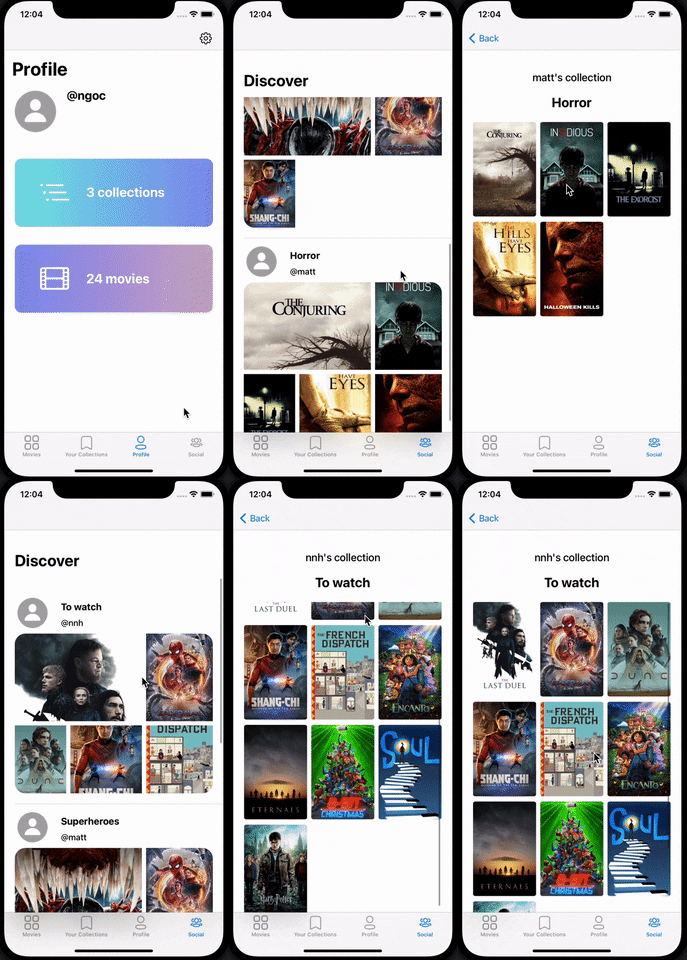
- User can change privacy settings (whether to keep their collections private or public, etc.) SEE ABOV GIF
- BONUS: Social
- User can see other users' collections and movies in them
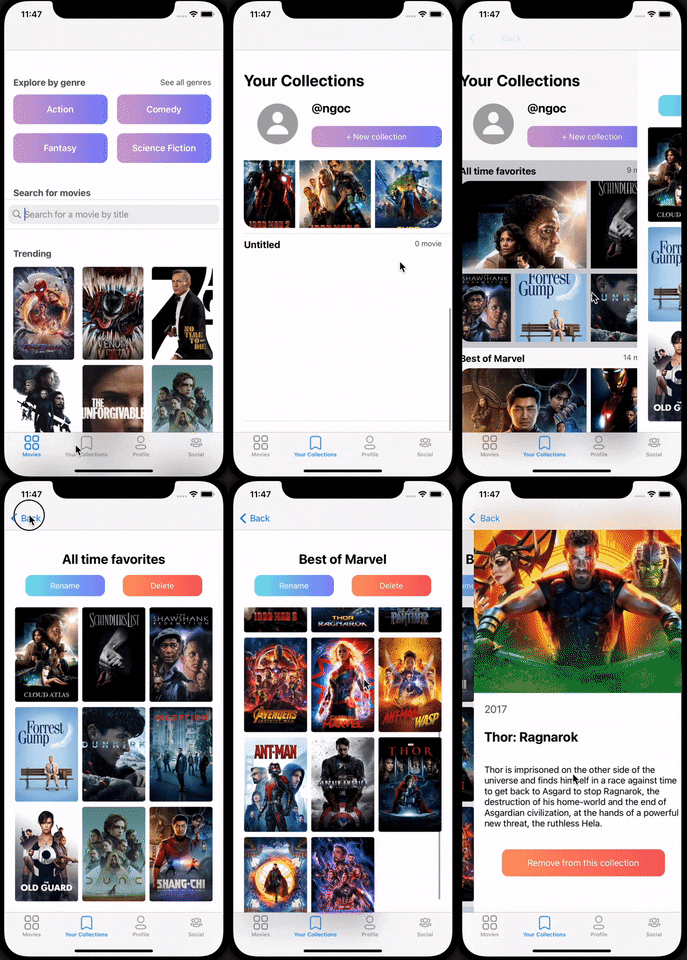
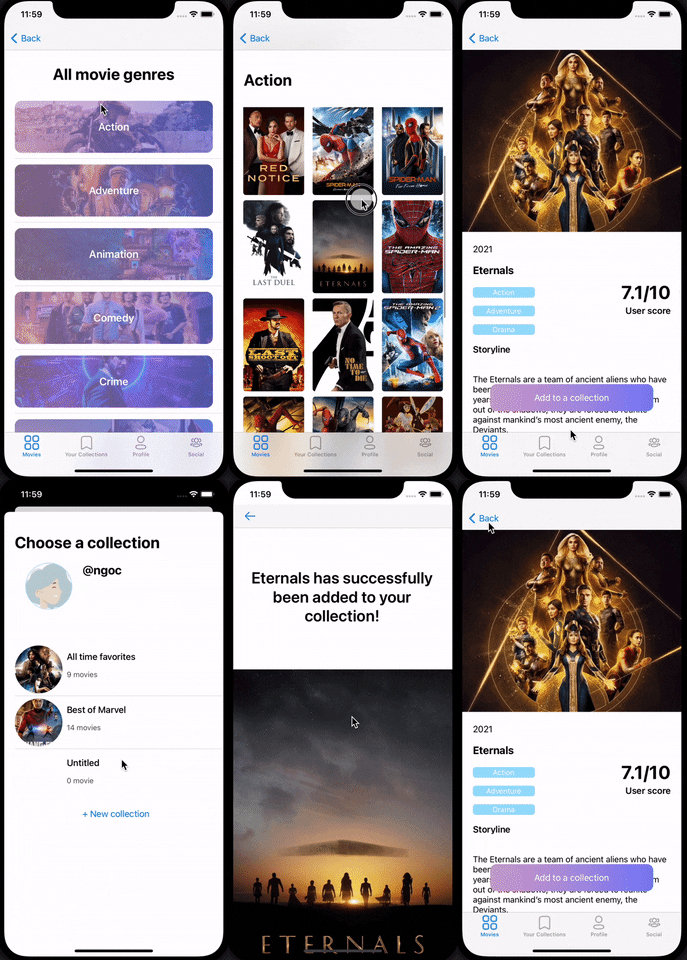
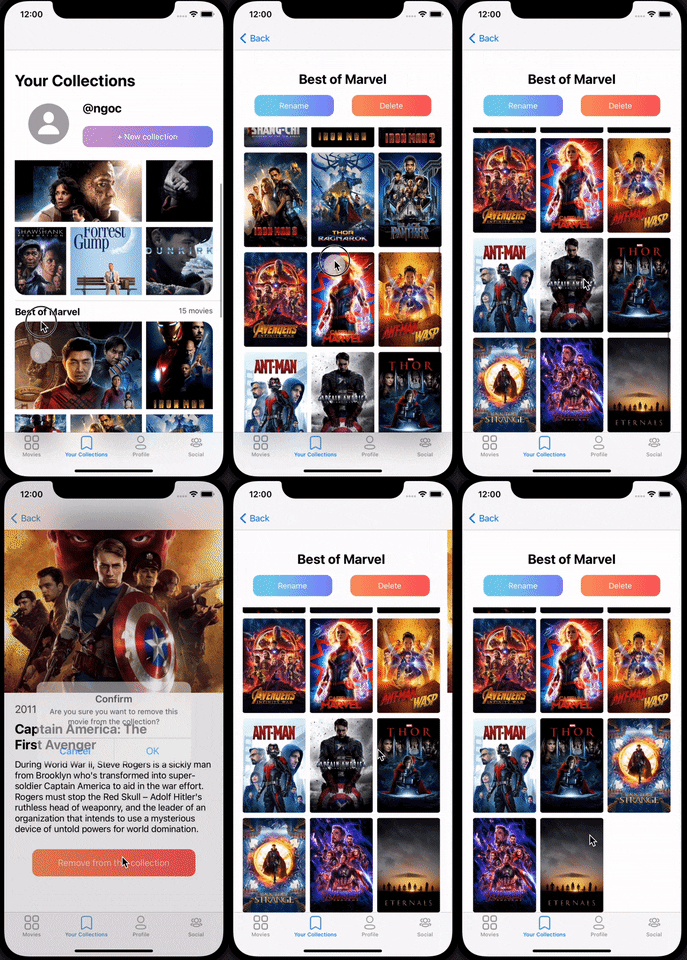
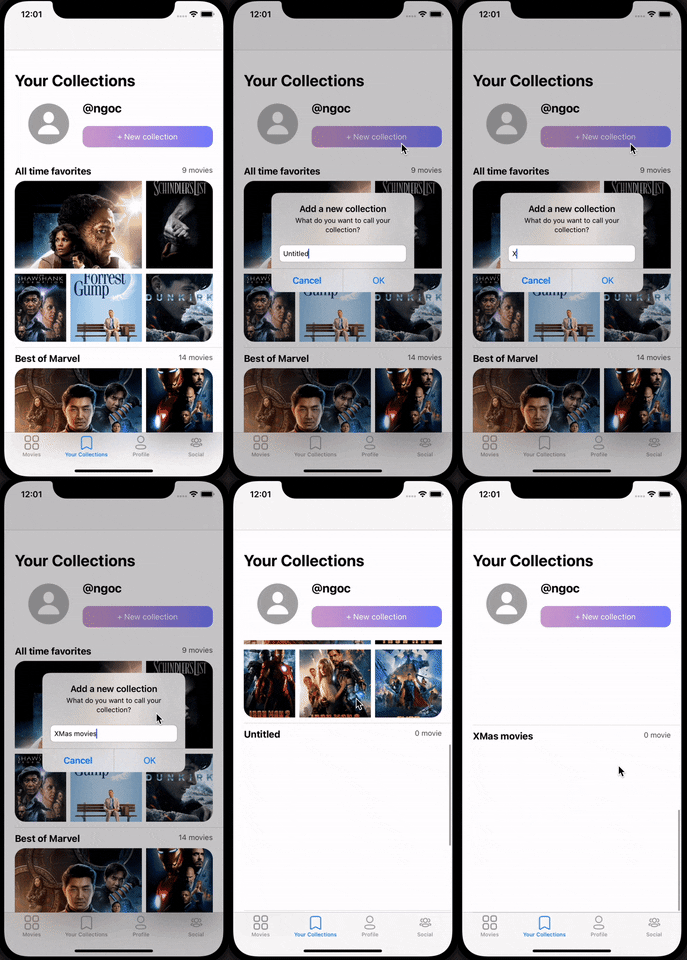

Tab Navigation (Tab to Screen)
- Movie feed
- User collections
- User profile
Flow Navigation (Screen to Screen)
- Login/Register
- → Movie feed
- Movie Feed
- → Movie details → User collections
- User collections
- → Movie feed
- → Movie details


[This section will be completed in Unit 9]
| Property | Type | Description |
|---|---|---|
| userId | String | Unique ID for the user |
| username | String | Unique username set by the user |
| password | String | Password set by the user |
| collections | [CollectionObj] | Array of collections created by the user |
| Property | Type | Description |
|---|---|---|
| name | String | Name of the collection |
| author | Pointer | Pointer to the user that owns the collection |
| movies | [MovieIds] | Array of movies in the collection |
| Property | Type | Description |
|---|---|---|
| movieId | String | ID of the movie |
- Not being stored in database
- Currently being fetched from TMDB
Movie API: https://developers.themoviedb.org/3/getting-started/introduction
- [Add list of network requests by screen ]
- MovieFeed Screen:
- GET request to fetch top movies
- GET request to fetch movies based on user's queries
- MovieDetail Screen:
- GET request to fetch data of a specific movie
- AddToCollection Screen:
- GET request to get user's available collections to choose
- PUT rquest to add a movie to a user's collection
- Collection Screen:
- GET request to get user's collections
let query = PFQuery(className:"Collections")
query.includeKeys(["name", "movies"])
query.limit = 20
query.order(byDescending: "createdAt")
query.findObjectsInBackground { (collections, error) in
    if collections != nil {
        self.collections = collections!
        self.tableView.reloadData()
    }
}
- Profile Screen:
- GET request to get current user's information
- Settings
- GET request to get current user's settings configurations
- PUT request to update user's settings
Here's a walkthrough of implemented user stories:
(GIF is being fixed. In the meantime, direct link to GIF: https://media.giphy.com/media/Z5XJEbdbf5XWX4KDNu/giphy.gif)