Boundary Move improve cursor move like as cursorWordPartRight/cursorWordPartLeft commands.
The difference from cursorWordPartRight/cursorWordPartLeft commands is the stop position.
This extension sets stop positions in more detail.
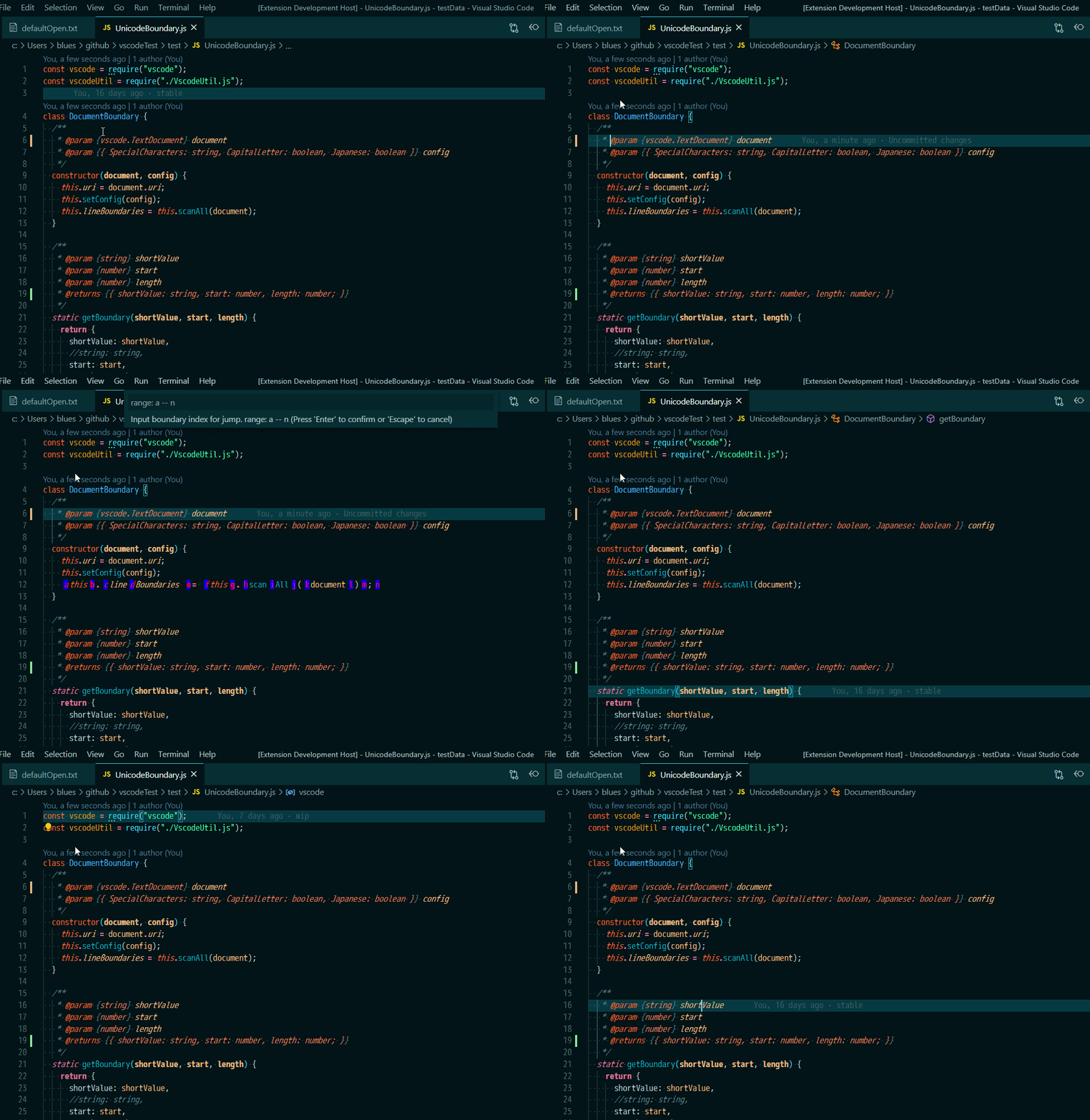
- move: Move cursors to the left/right boundary.
- select: Select from current position to the left/right boundary.
- jump: Jump cursors to the specified position.
jump
Input destination directly.jump line
Input lineNumber then input destination.
- selectJump: Select from current position to the specified position.
If text is as below.
function func1(){}
cursorWordPartRight/cursorWordPartLeft stop positions are as below.
‾function‾ ‾func1‾(){}‾
This extension stop positions are as below.
‾function‾ ‾func‾1‾(‾)‾{‾}‾
If text is as below.
CatLikeTuna
With the default settings, stop positions are as below.
‾Cat‾Like‾Tuna‾
If you want to stop between upper letter and lower letter, set boundary-move.capitalLetter to false.
Then stop positions are as below.
‾C‾at‾L‾ike‾T‾una‾
If text is as below.
"Cat", "", "Dog",
cursorWordPartRight/cursorWordPartLeft stop positions are as below.
Cannot stop between double quotations.
‾"‾Cat‾",‾ ‾"",‾ ‾"‾Dog‾",‾
If you want to stop between double quotations.
Set " to boundary-move.specialCharacters.
Then stop positions are as below.
‾"‾Cat‾"‾,‾ ‾"‾"‾,‾ ‾"‾Dog‾"‾,‾
Special characters are always detect as boundary.
If text is as below.
猫は、マグロが大好きです。
cursorWordPartRight/cursorWordPartLeft stop positions are as below.
‾猫は、マグロが大好きです。‾
This extension(with default settings) stop positions are as below.
‾猫は‾、‾マグロが大好きです‾。‾
If you set boundary-move.japanese to true.
Then stop positions are as below.
‾猫‾は‾、‾マグロ‾が‾大好‾きです‾。‾
Caution: This extension replaces default cursor movement keys.
| command | default keybind | description |
|---|---|---|
| BM.moveLeft | left | Move cursors to the left boundary. |
| BM.moveRight | right | Move cursors to the right boundary. |
| BM.selectLeft | shift + left | Select from current position to the left boundary. |
| BM.selectRight | shift + right | Select from current position to the right boundary. |
| BM.jump | Jump the cursor to specified position. | |
| BM.jumpLine | Jump the cursor to specified position. | |
| BM.selectJump | Select from current position to specified position. | |
| BM.selectJumpLine | Select from current position to specified position. | |
| BM.info | Output debug information to the OutputChannel. | |
| cursorLeft | ctrl + left | Move cursors to left. |
| cursorRight | ctrl + right | Move cursors to right. |
| cursorLeftSelect | ctrl + shift + left | Select from current position to left. |
| cursorRightSelect | ctrl + shift + right | Select from current position to right. |
settings.json
  // Marker margin.
  "boundary-move.markerMargin": "0ex 0.3ex 0ex 0.7ex",

  // Detect capital letter
  "boundary-move.capitalLetter": true,

  // This characters always detect as boundary.
  "boundary-move.specialCharacters": "\"'`()[]{}",

  // Improve Japanese boundary.
  "boundary-move.japanese": false,

  // Zoom out before jump. 0 is no zoom out.
  "boundaryMove.jumpZoomOutLevel": 1,

  // Center cursor after move.
  "boundaryMove.alwaysCenter": false

  // Center cursor after jump.
"boundaryMove.jumpToCenter": falseDefault marker color.
[
  {
    "id": "boundaryMove.markerColor",
    "description": "MakerColor",
    "defaults": {
      "dark": "#222222",
      "light": "#dddddd",
      "highContrast": "#000000"
    }
  },
  {
    "id": "boundaryMove.markerBackgroundColor",
    "description": "MarkerBackgroundColor",
    "defaults": {
      "dark": "#dddddd",
      "light": "#222222",
      "highContrast": "#ffffff"
    }
  }
]
If you want to customize marker color, edit settings.json as below.
  "workbench.colorCustomizations": {
    "boundaryMove.markerColor": "#000000",
    "boundaryMove.markerBackgroundColor": "#ffffff"
  },